Skip to content
CastTool
Menu

Inside CastTool: every feature, shown in the real app

This page shows what CastTool does today, using the actual interface. The tour walks you through the website, the dashboard, the model portal and booking in a few steps. Below it, every feature has its own section.

Product tour

Four chapters, one screen per step. No account needed, and nothing is saved. Use the arrow keys to move along.

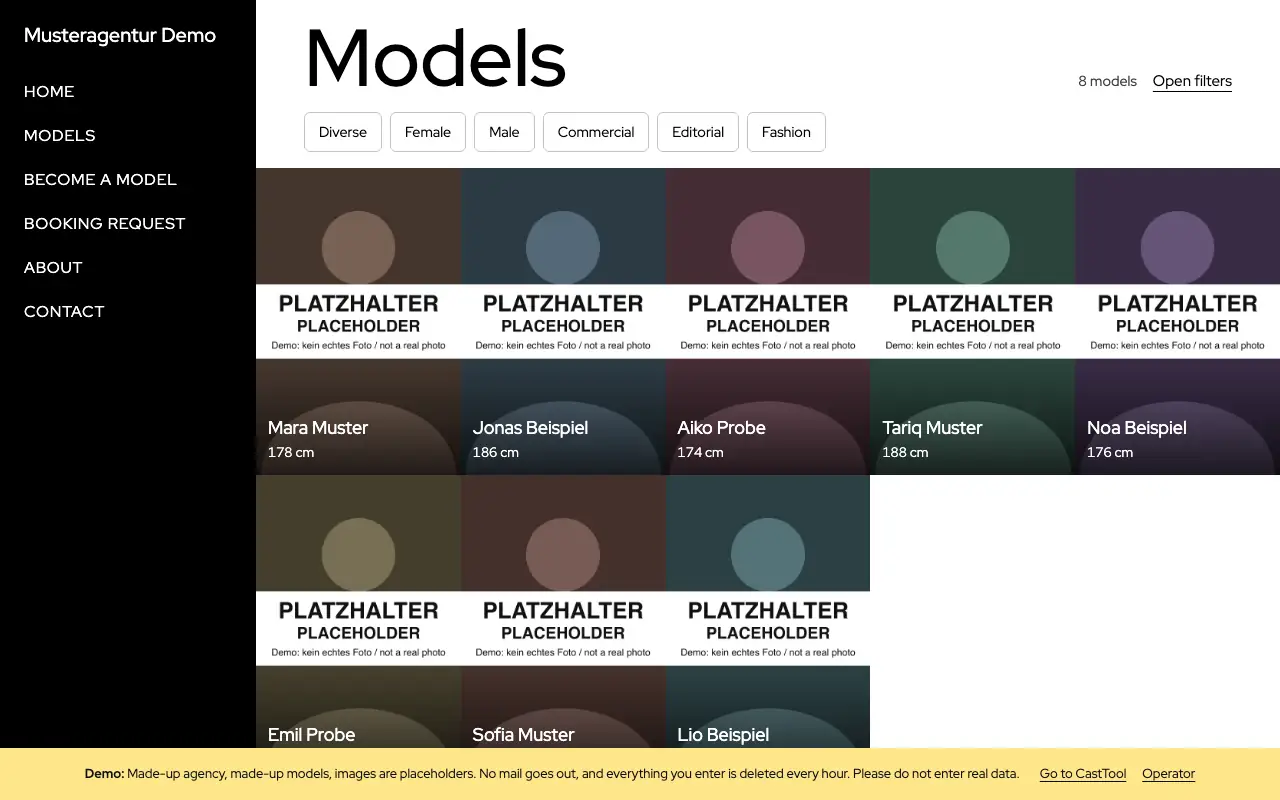
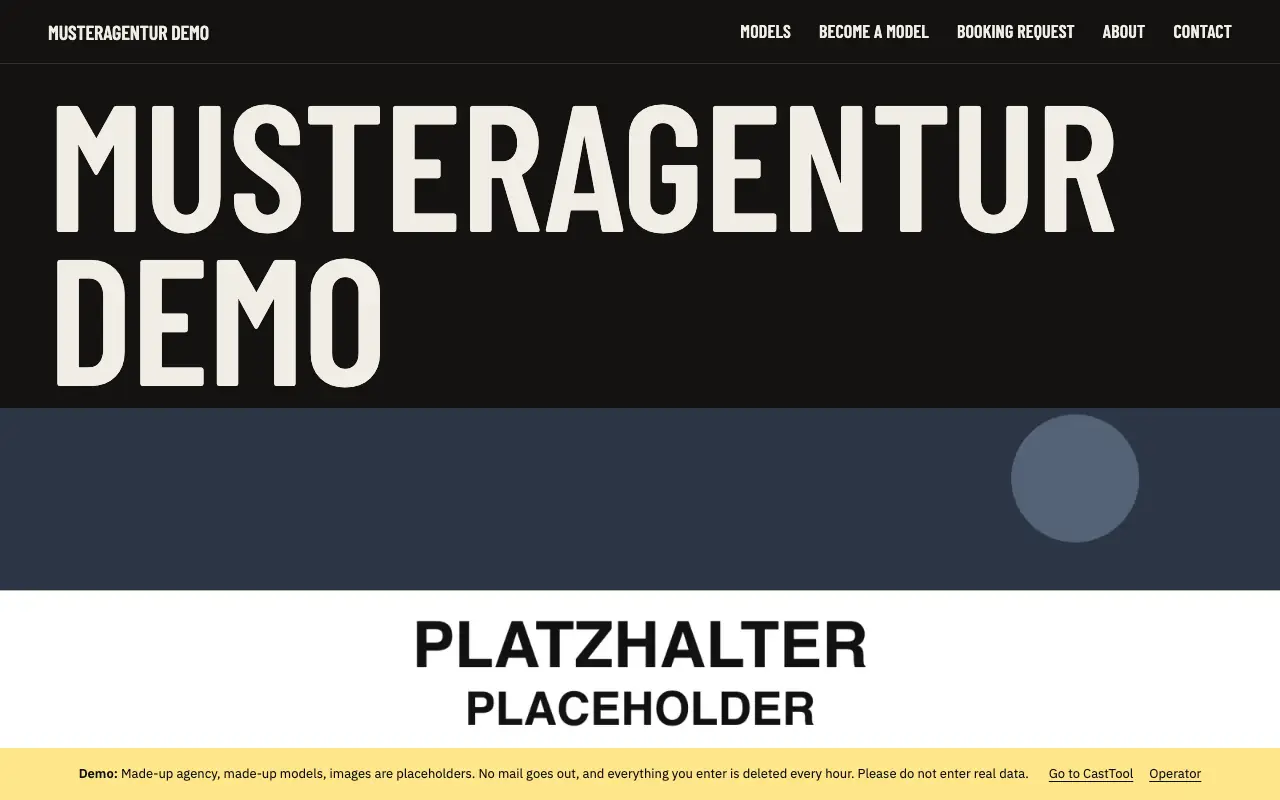
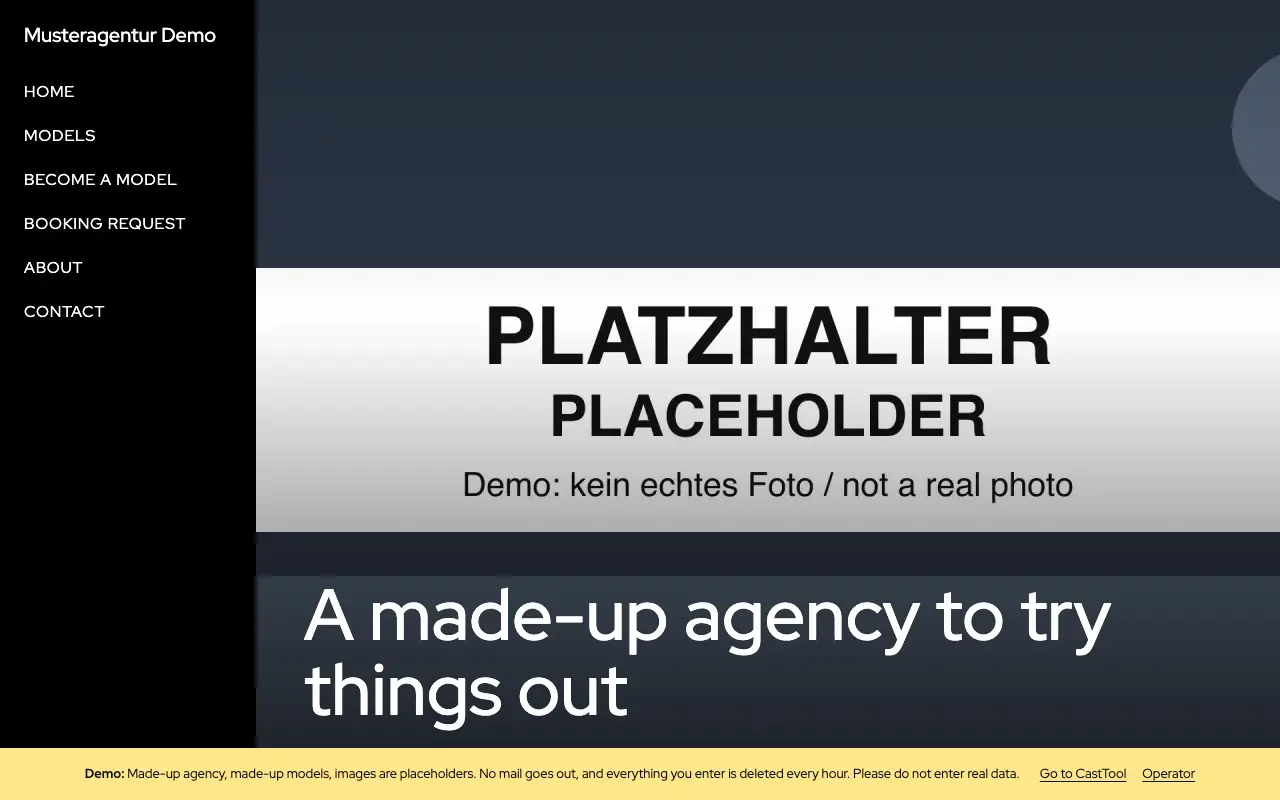
Demo agency home page in the Classic design, with navigation on the left and a slider

What clients and applicants see: your agency website, built from your model database.

Step 1 of 4

Home page

Slider, introduction, featured models, partners, a call to apply and contact details. Each section can be switched on or off.

Every image comes from the running app, captured in the demo agency with made-up names, companies and requests. The model photos there are placeholders.

Agency website

A website built from your model database. Whatever your team approves appears there, and requests from the site go straight into booking.

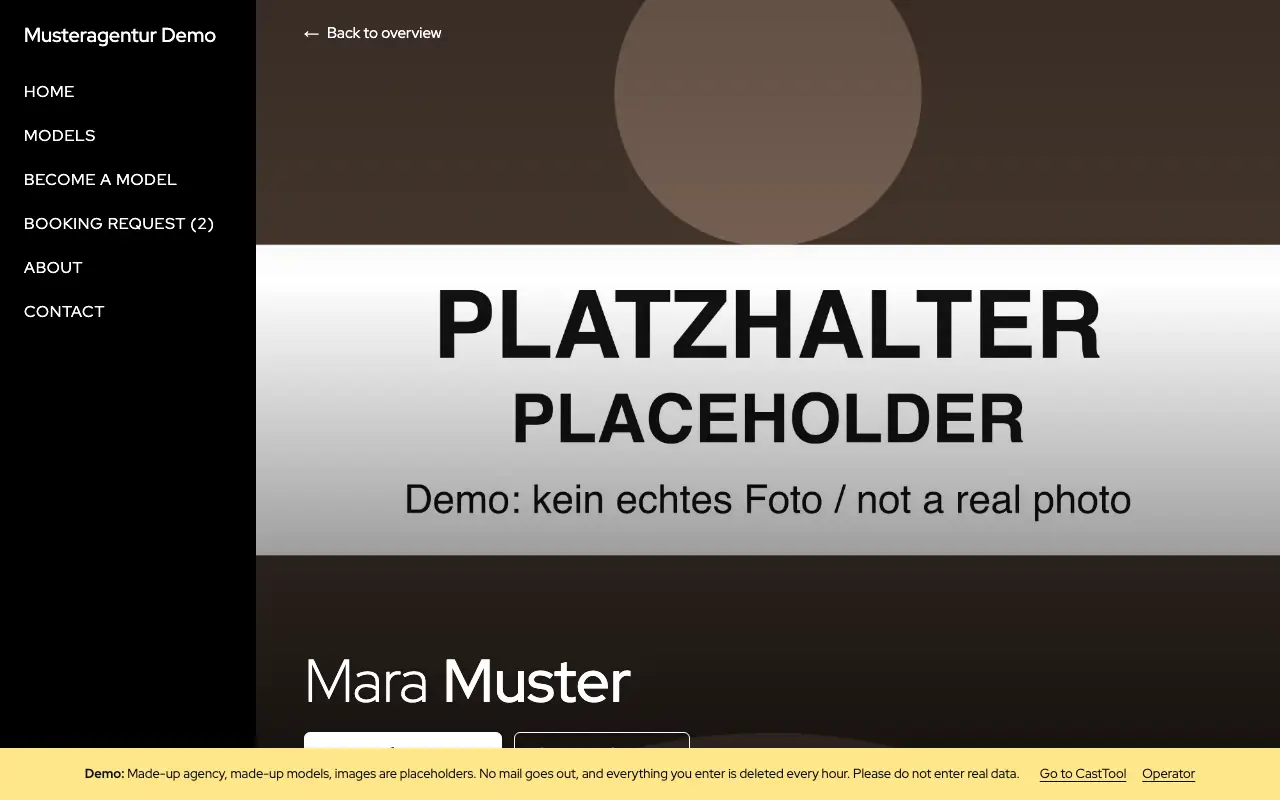
Model page and comp card

Every approved model has a page with photos and measurements. Visitors can download the comp card as a PDF, and it only contains approved material.

Model page with photos, measurements and a button to add the model to a request

A home page made of sections

Slider, introduction, featured models, partners, a call to apply and contact details. Each section can be switched on or off and moved up or down.

  • Partners with their own logos instead of fixed brands
  • Contact details and social links kept in one place
Demo agency home page in the Classic design, with navigation on the left and a slider
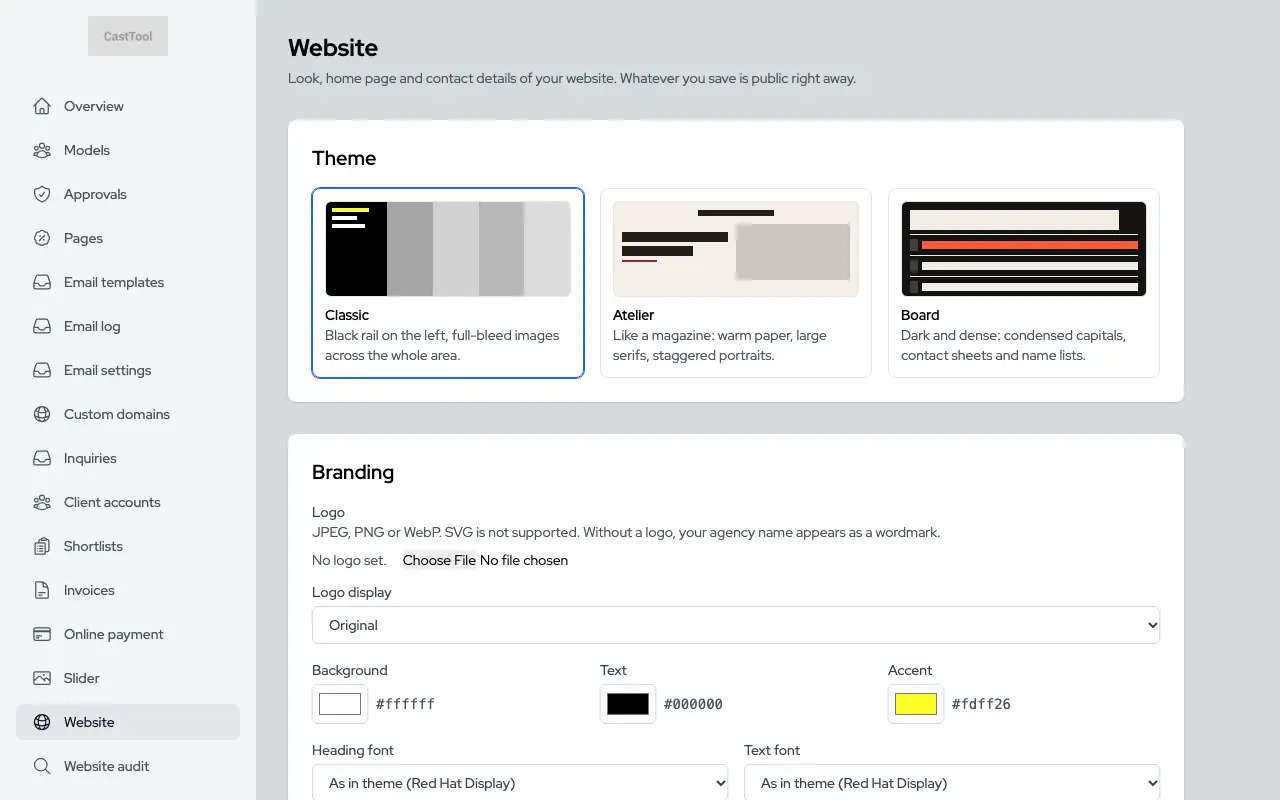
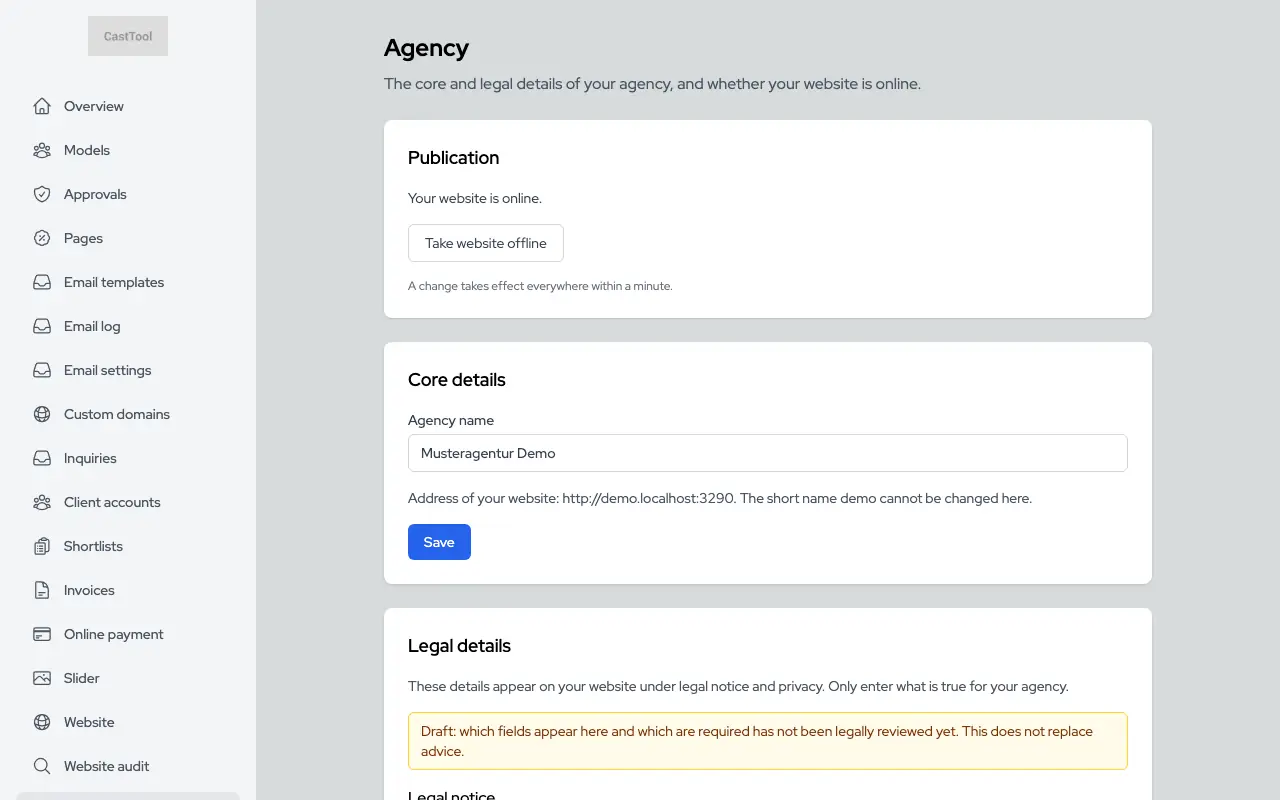
Website settings with the design picker

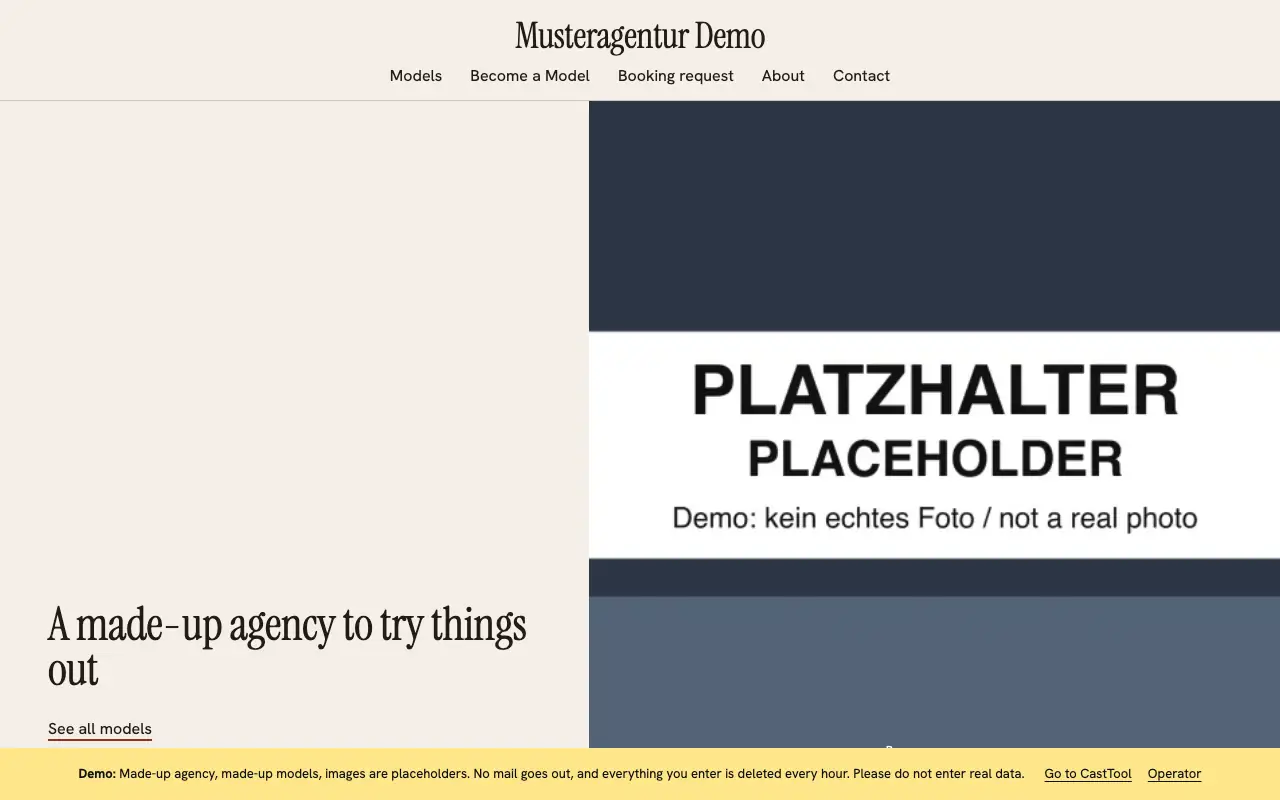
Three designs, your branding

Classic, Atelier and Board. You choose the logo, colours and fonts, and CastTool checks the colours for sufficient contrast. Switching designs leaves your content where it is.

Demo agency home page in the Atelier design
Demo agency home page in the dark Board design

Your own pages, with an editor

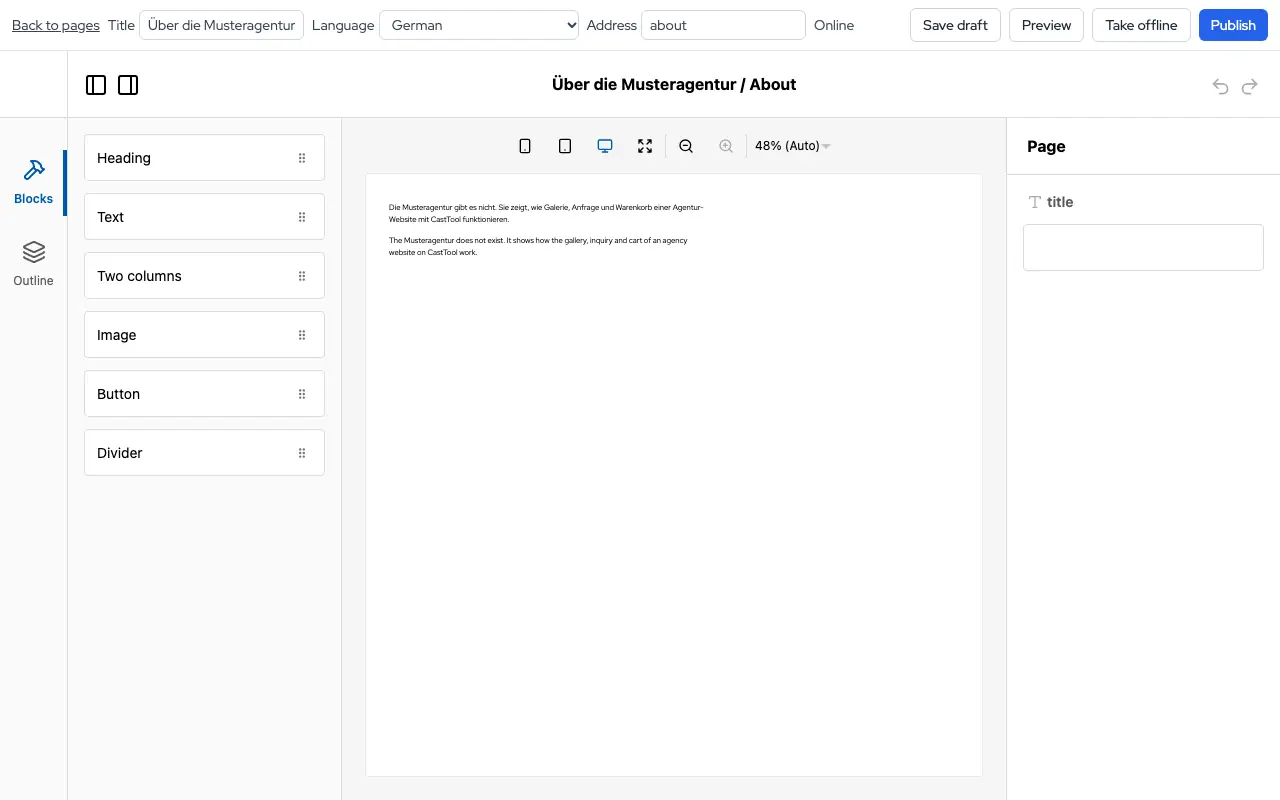
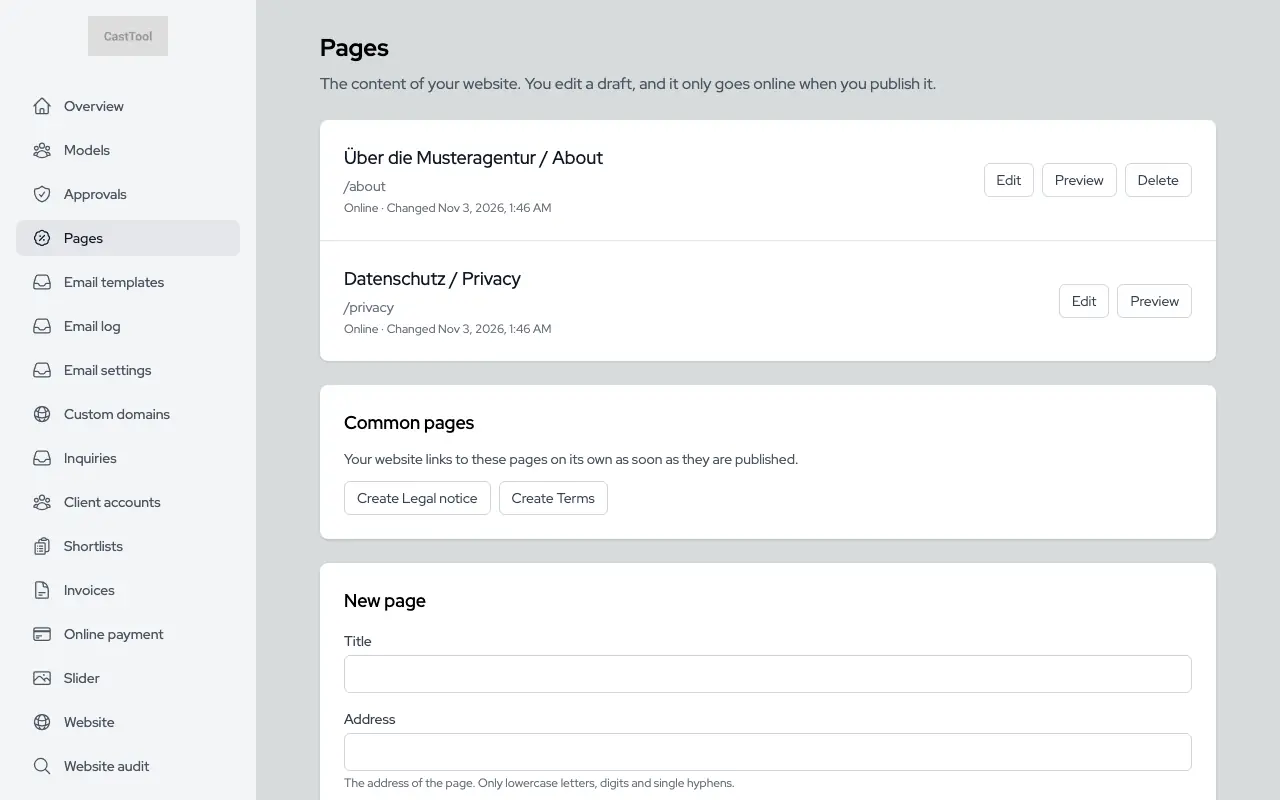
Build pages such as "About us" from fixed blocks. Drafts and published versions are kept apart, and the preview shows the page in your site's design.

  • A separate draft for each language
  • Without a translation, the site shows the German version with a notice
Page editor with blocks and preview
List of custom pages with their languages

Home page slider

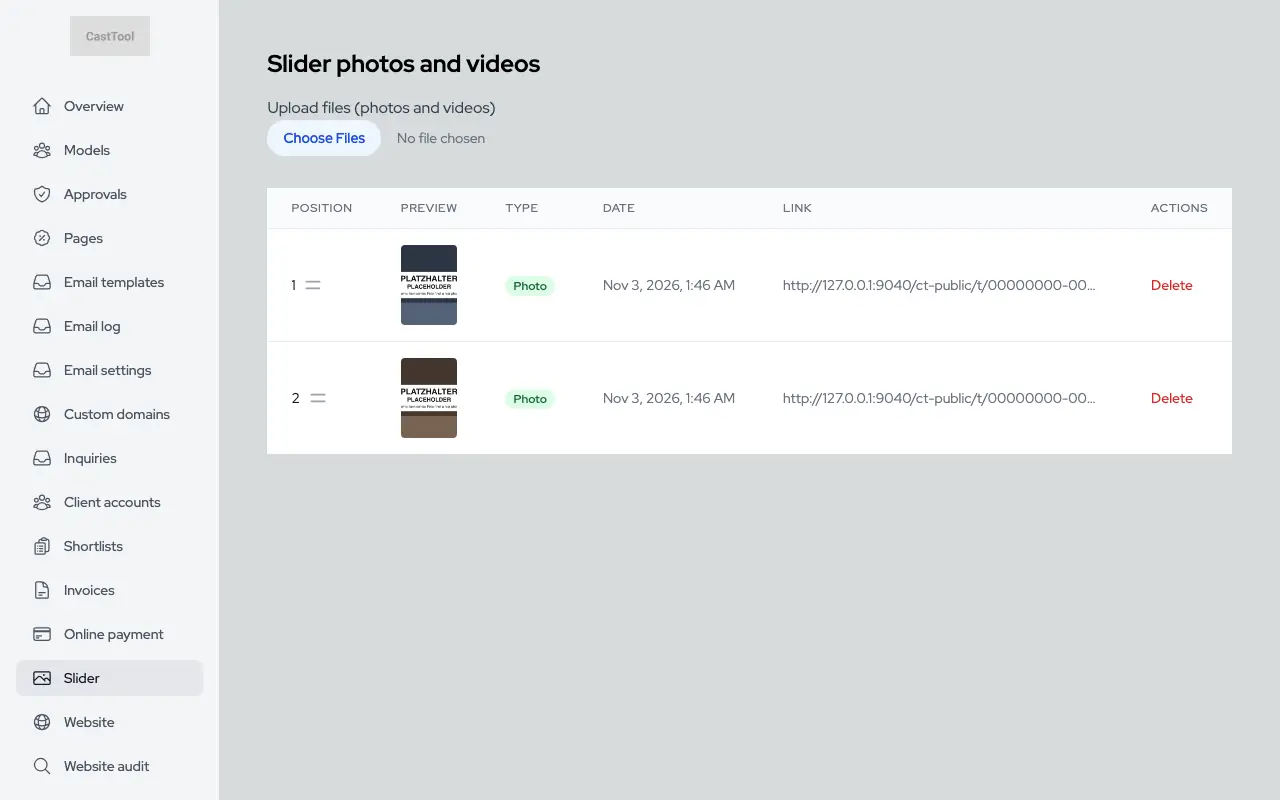
Upload slider images in the dashboard and put them in the order you want.

Managing slider images

Your own domain

Every agency starts on a subdomain. Connect your own domain with a CNAME record, and the dashboard shows the status and DNS instructions. The subdomain then redirects permanently.

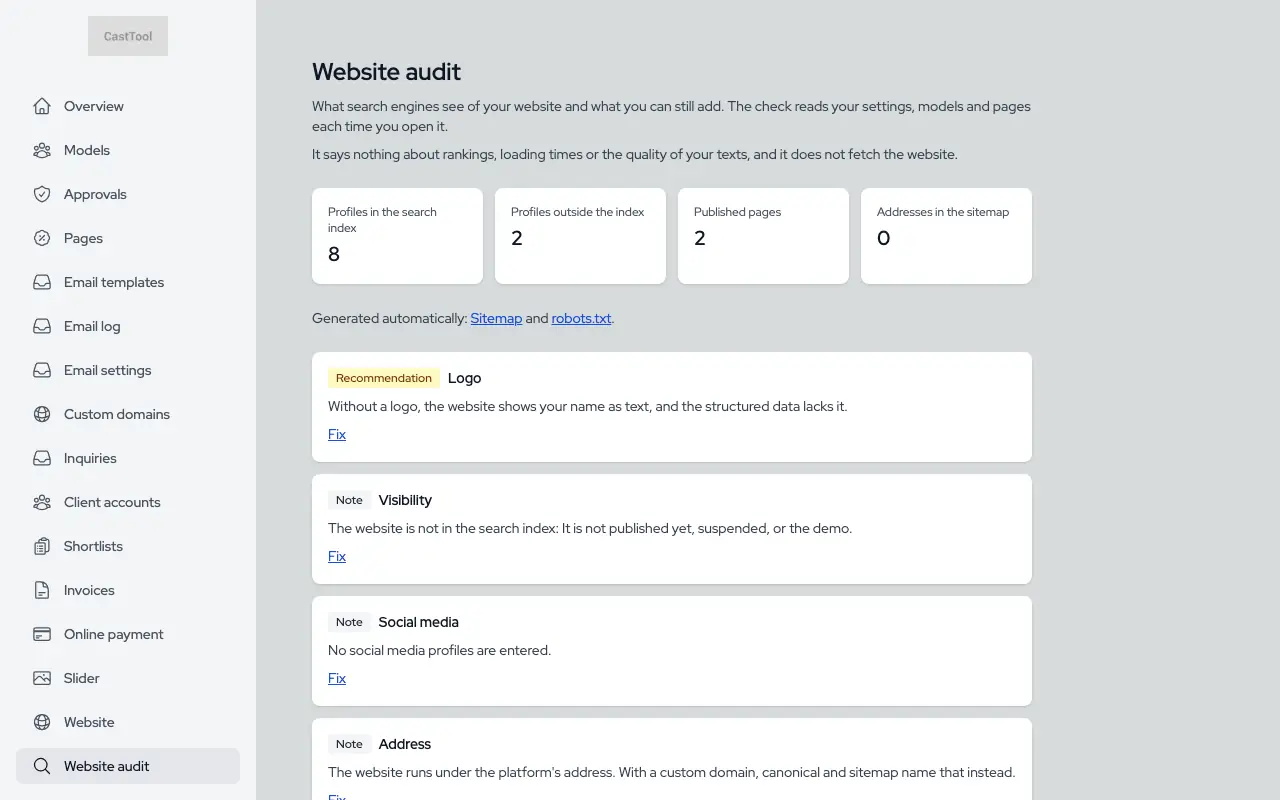
Search engines and site audit

Every site gets its own sitemap, robots.txt, canonical tags and hreflang automatically, plus metadata, a link preview card and structured data for the agency and its models. The audit in the dashboard shows what is missing.

  • Applicants, unapproved profiles and minors stay out of the index
  • So do carts and shortlist links
Site audit with its checks

Booking

Cart, request, availability check, offer, booking and invoice in one sequence, traceable in one place.

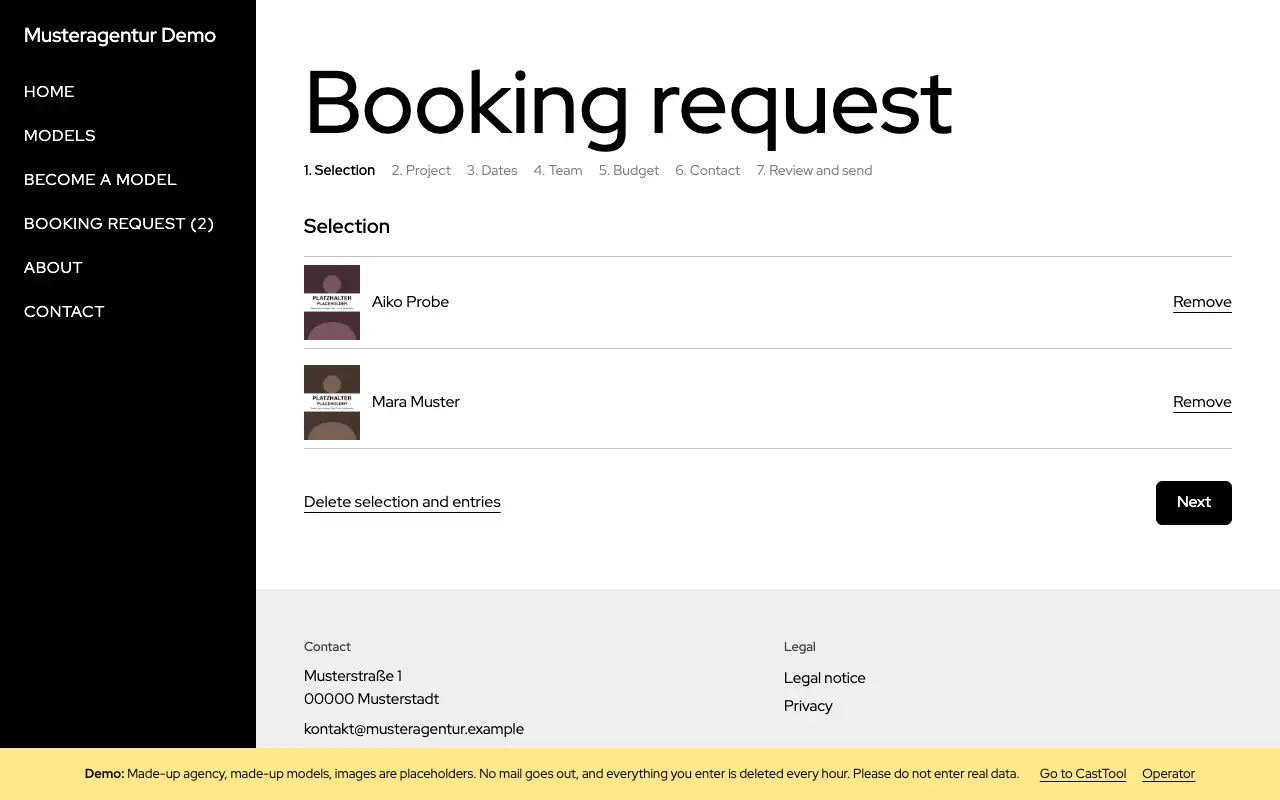
A cart for clients

Clients add models to a request on your website, much like an online shop. The cart is stored on the server and lasts 30 days.

Request cart with two selected models

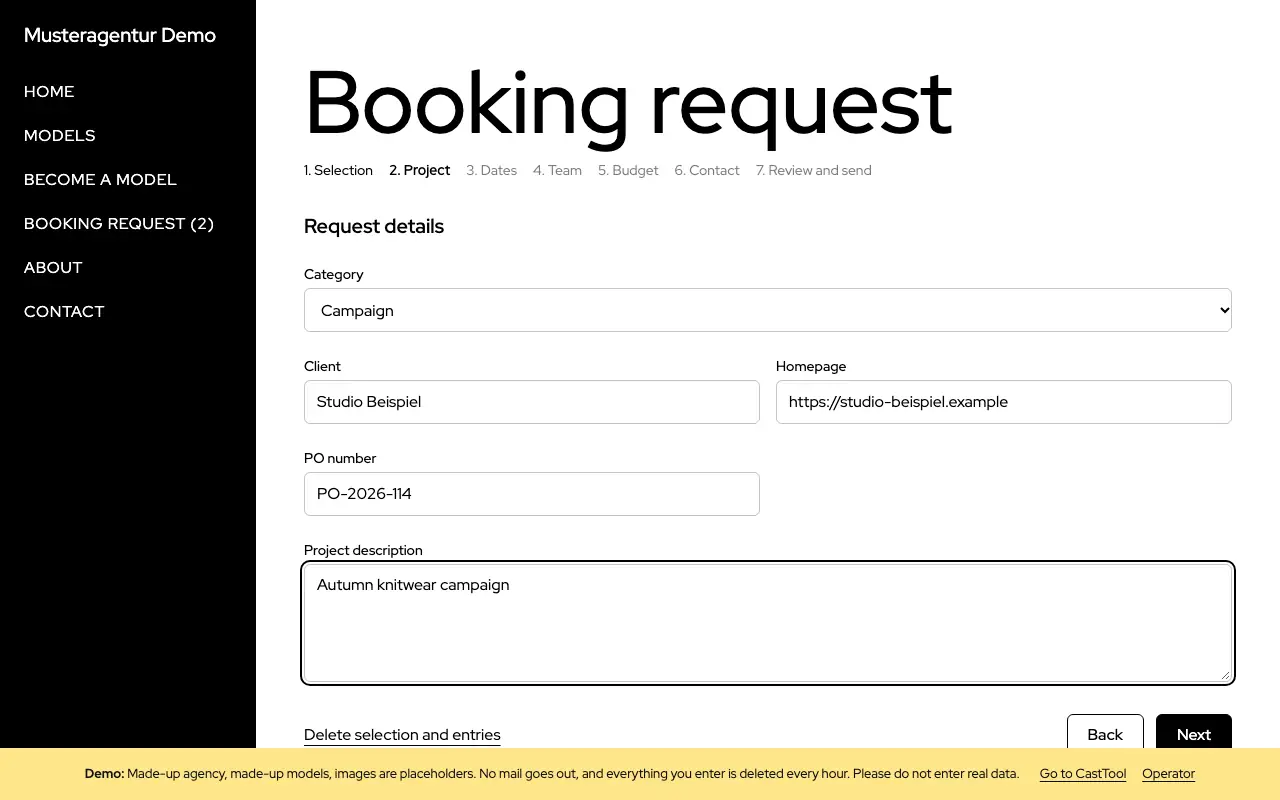
A request in seven steps
The request asks for project, dates, location, usage, budget and contact details in turn. Progress is saved on the server, so reloading the page loses nothing.
Second step of the request with project details

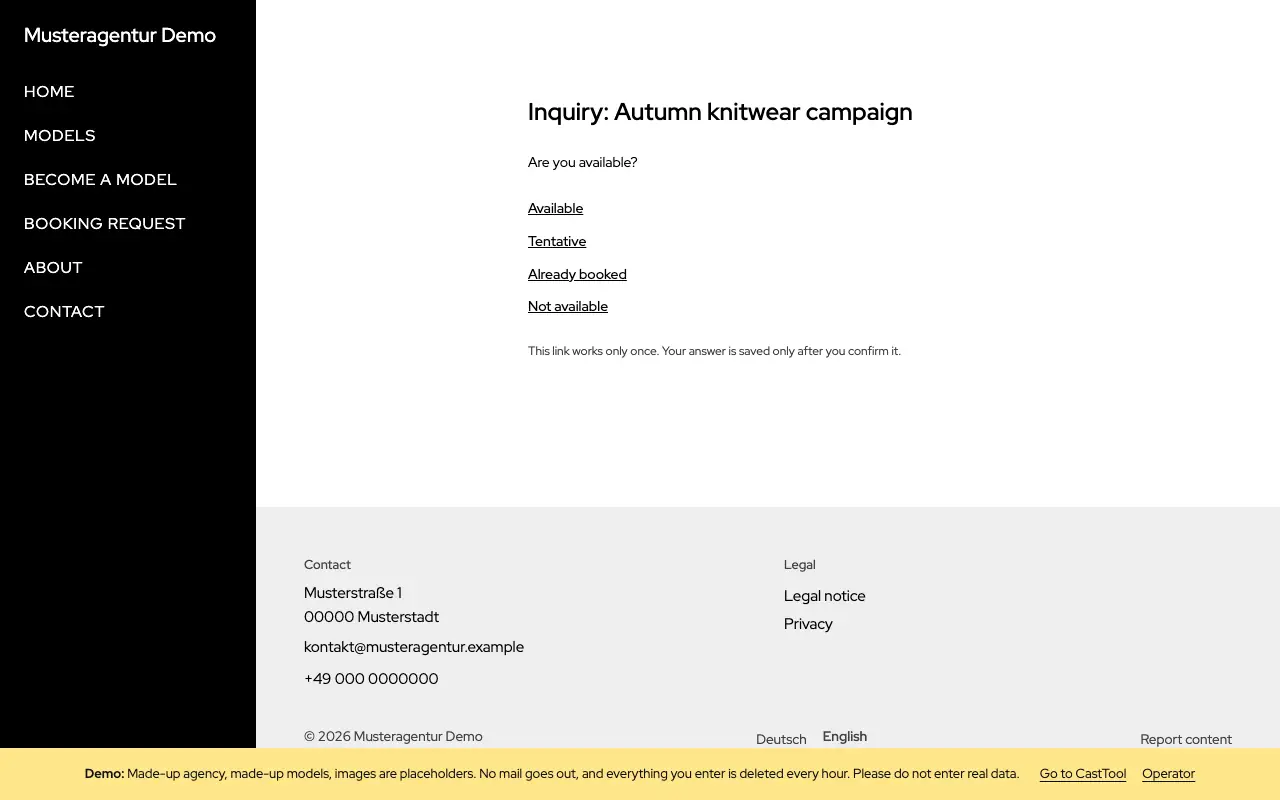
Availability check by link

For each request, models get a link by email and answer available, tentative, already booked or unavailable. Each link works once, and the answer is only saved after confirming.

Availability check asking the model to pick one of four answers

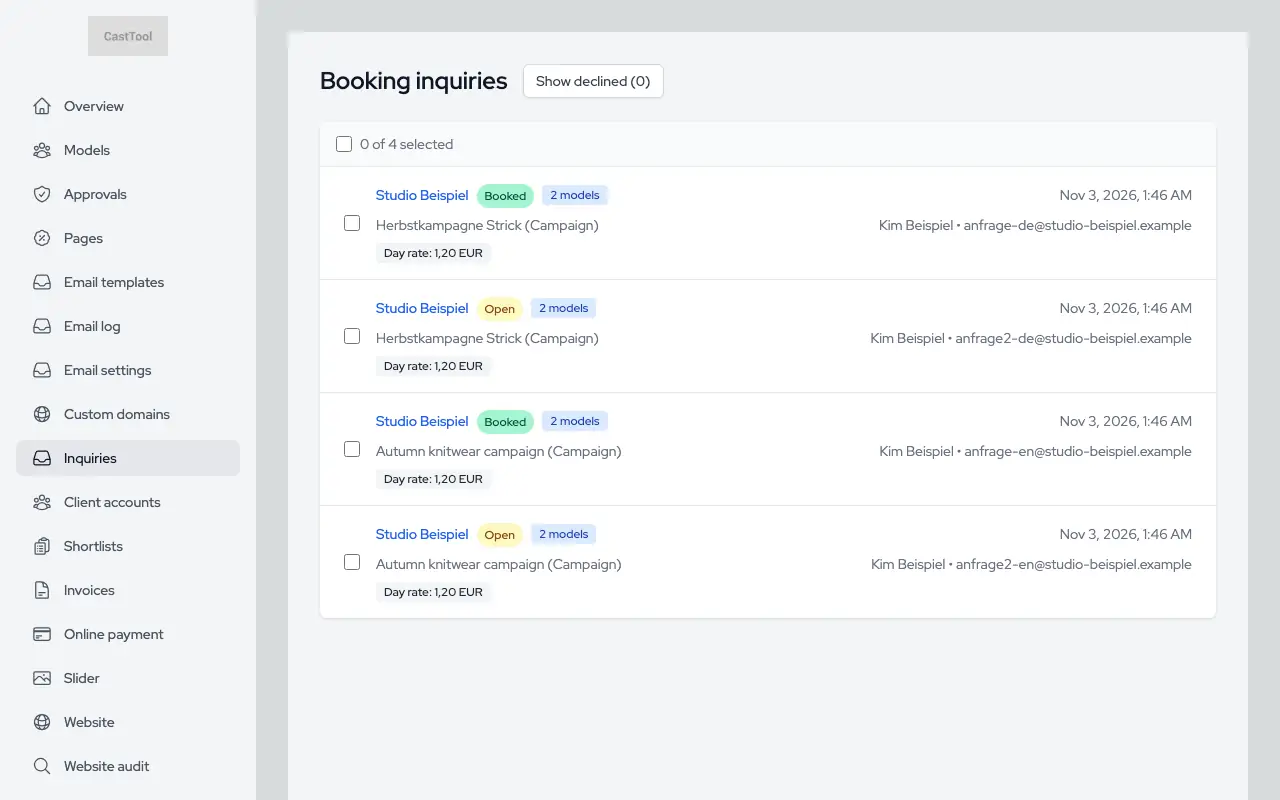
All requests at a glance

Every request with its status in one list, with bulk status changes. From the detail view, your team puts together the offer.

List of requests with status

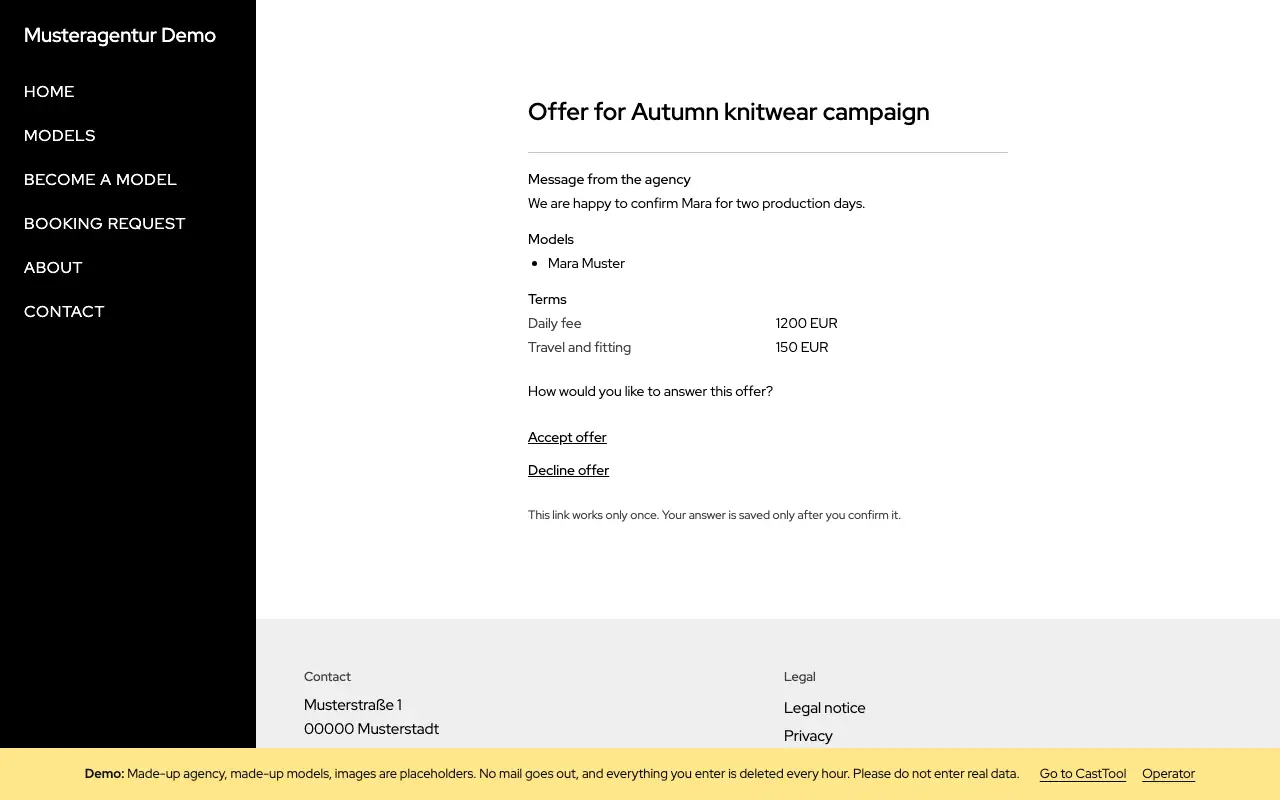
Accepting or declining an offer

The client opens the offer through a link: terms, message, attachments and comp cards. They accept or decline, and can say why.

Offer with terms and links to accept or decline

Confirming the booking

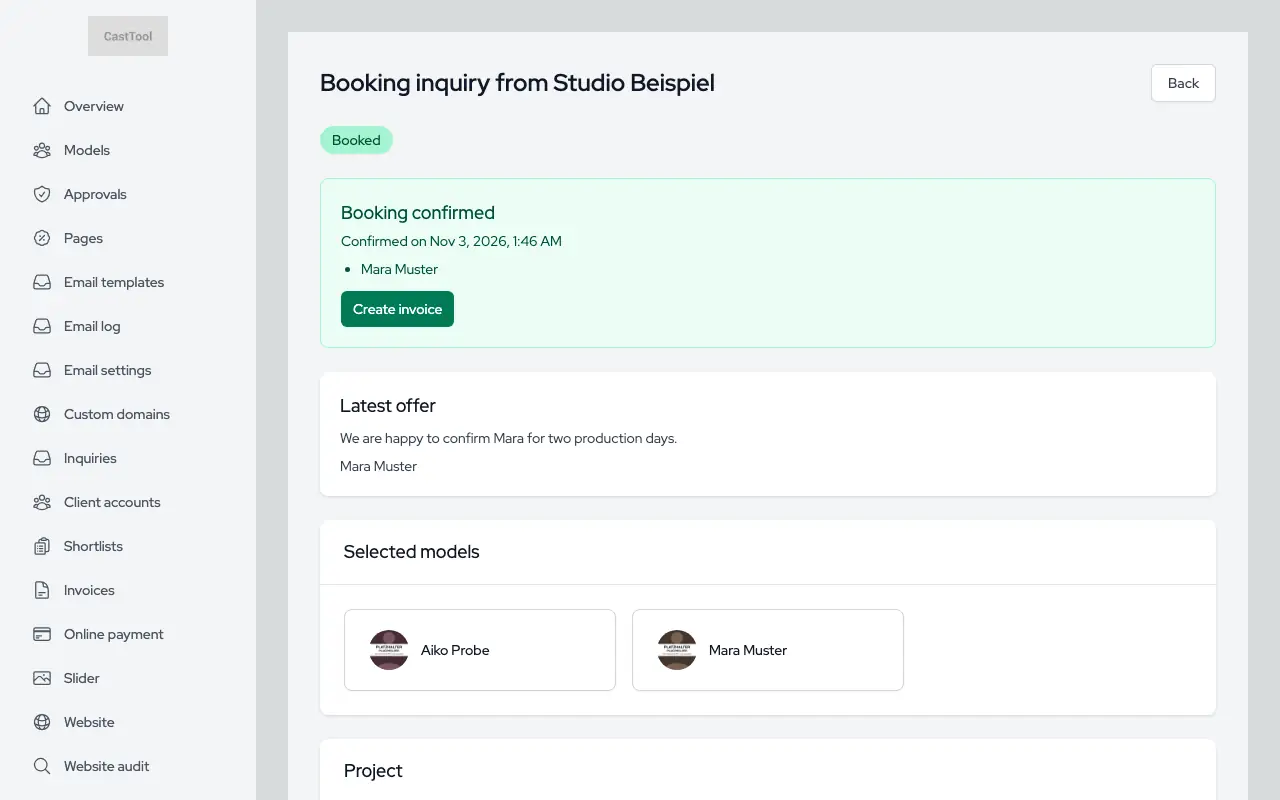
Once the client accepts, your team confirms the booking. The client and models receive an email, and the request keeps every step in its history.

Detail view of a booked request with its history

E-invoices from the booking

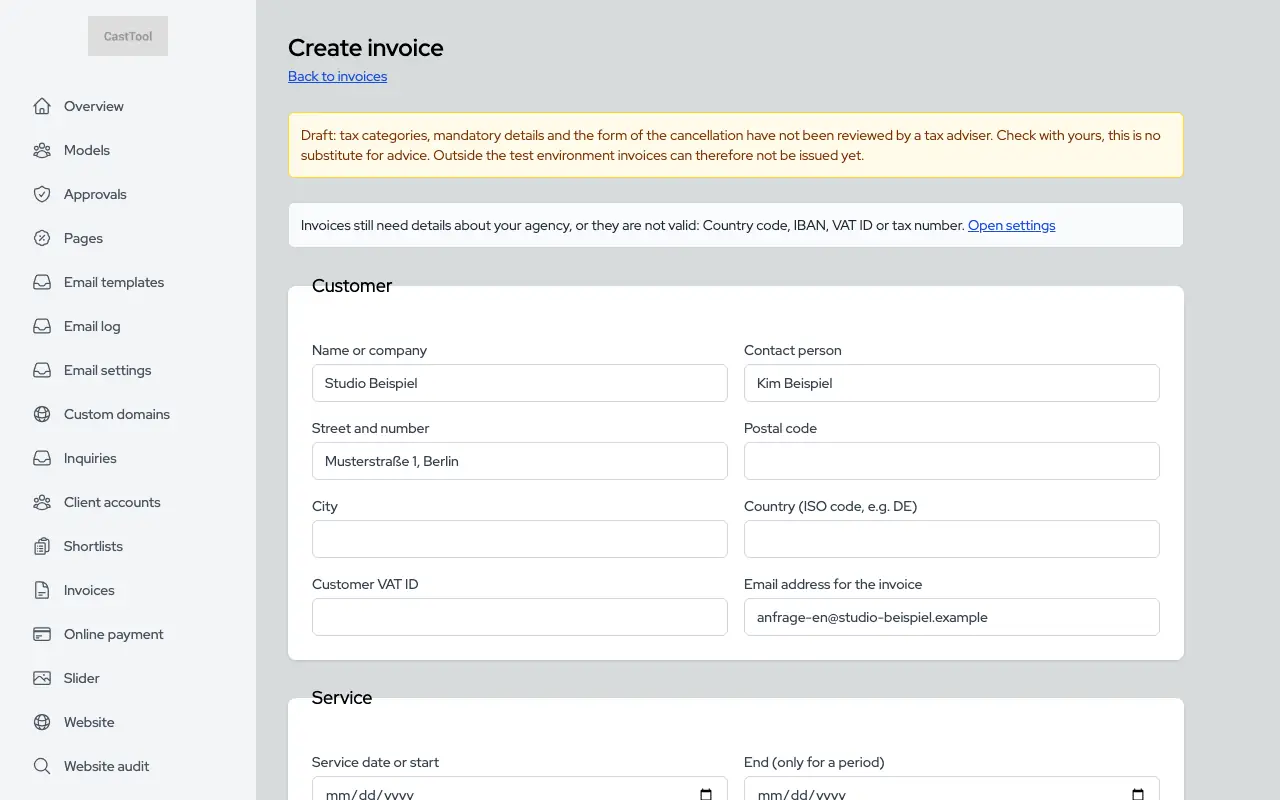
A confirmed booking becomes a ZUGFeRD/Factur-X invoice: a PDF with embedded data following EN 16931. Numbers run without gaps, an issued invoice never changes, and corrections go through a cancellation invoice.

Invoice from a confirmed booking, prefilled with client and line items

Online payment, if you want it

Connect your own Stripe account and the invoice email includes a payment link, with the payment status shown on the invoice. Without it, clients pay by bank transfer as usual.

Models and portal

From application to a well-kept profile. Models work in their own portal, your team keeps the final say.

Applications with photos

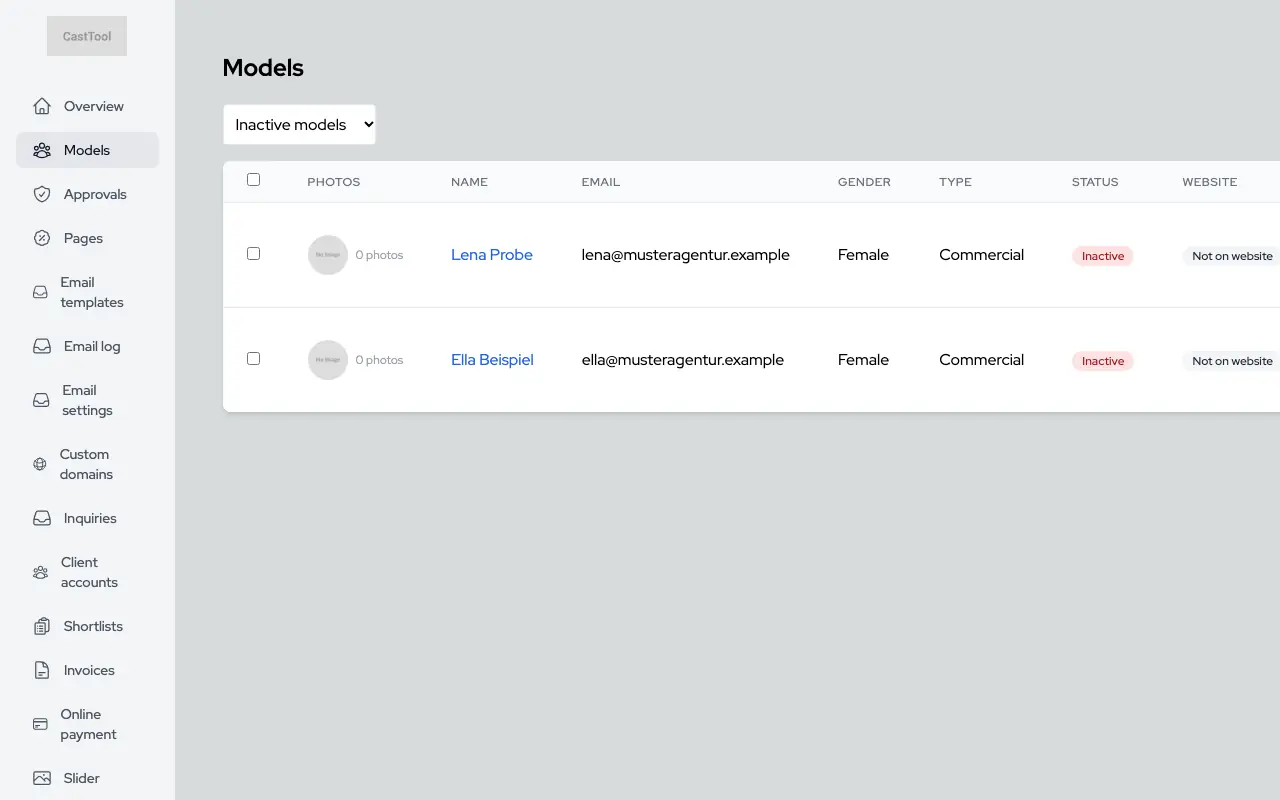
Your website has an application form with photo upload and consent checkboxes. Every application arrives in the dashboard as an inactive profile with all details and photos. The form is switched off in the demo, so the screenshot shows your team's side.

Model list filtered to inactive profiles, including open applications

Review and approve

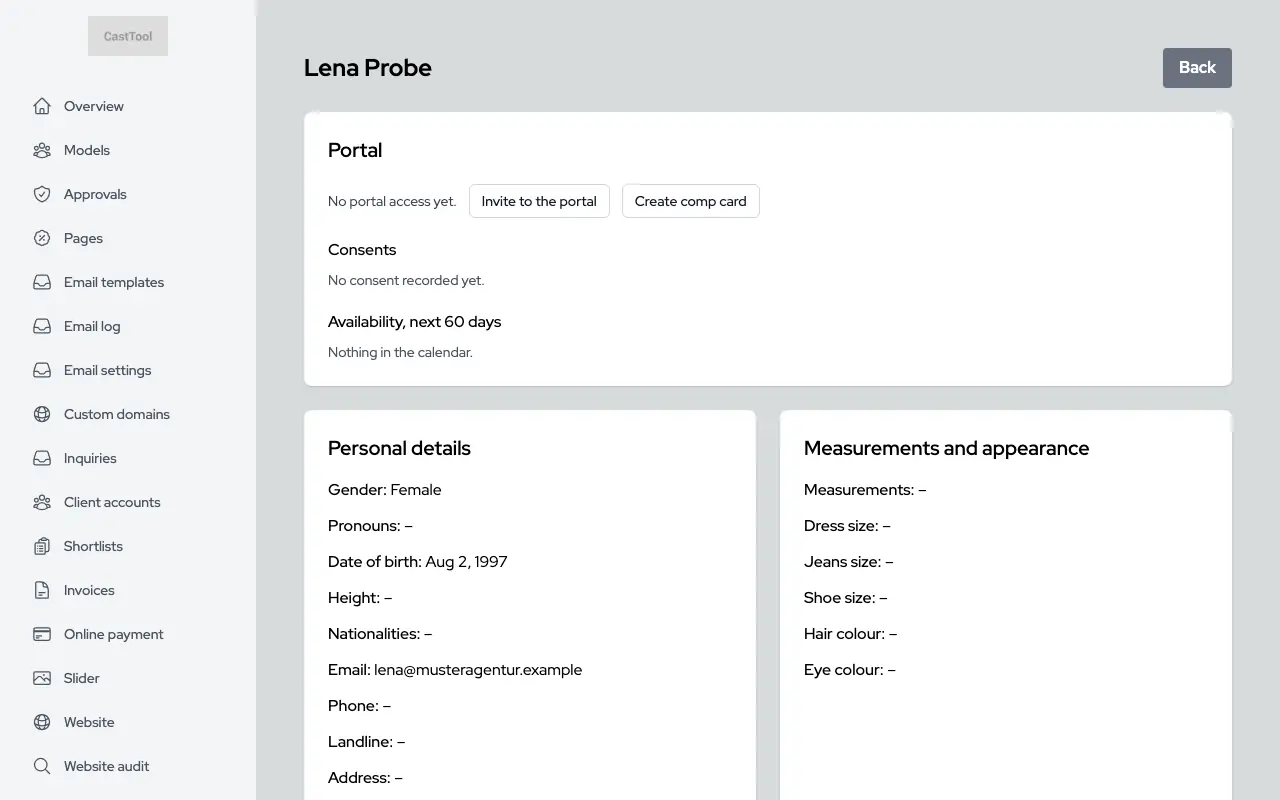
Your team opens the application, checks details and photos, and activates the profile. The application becomes the profile without retyping anything, with a portal invitation if you like.

Application in the dashboard with details and a button to invite to the portal

Creating and editing profiles

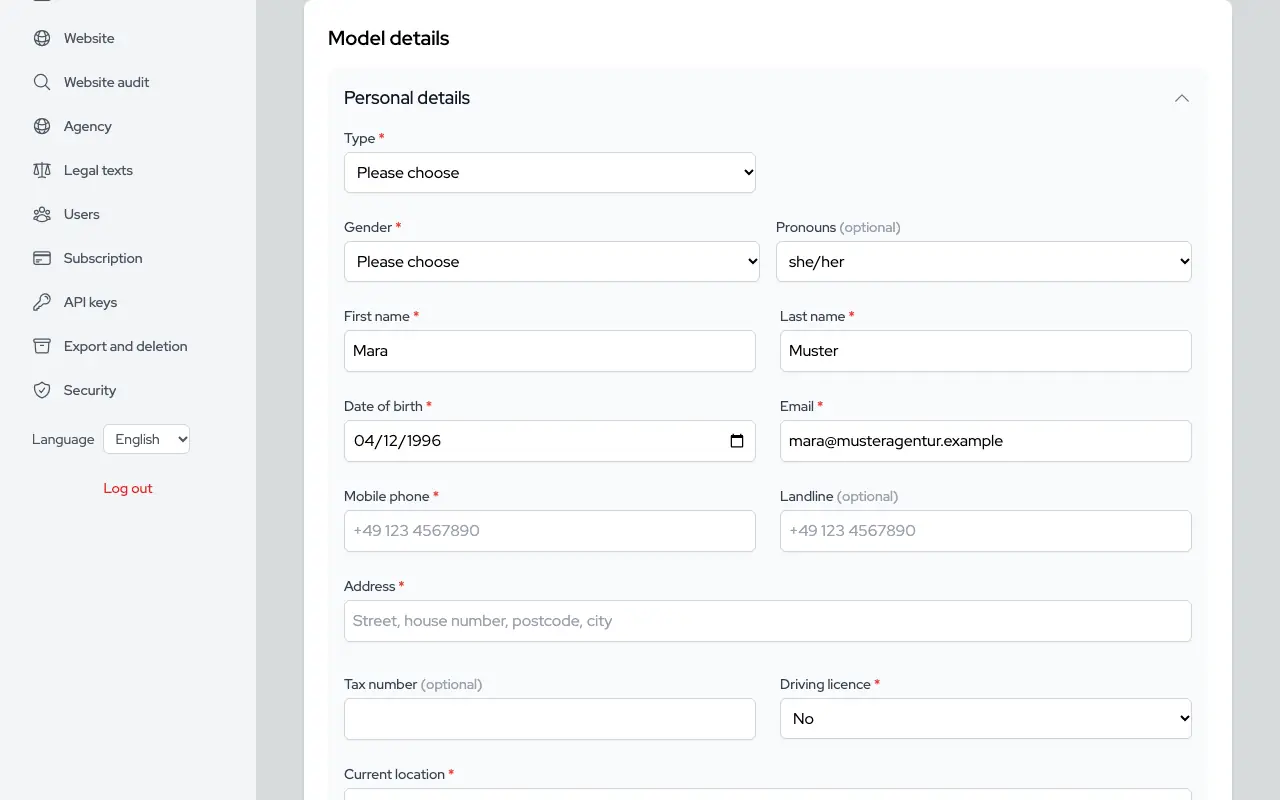
Personal details, measurements, category and visibility. Whether a model is active and whether they appear on the website are two separate switches.

Form with a model's personal details and measurements
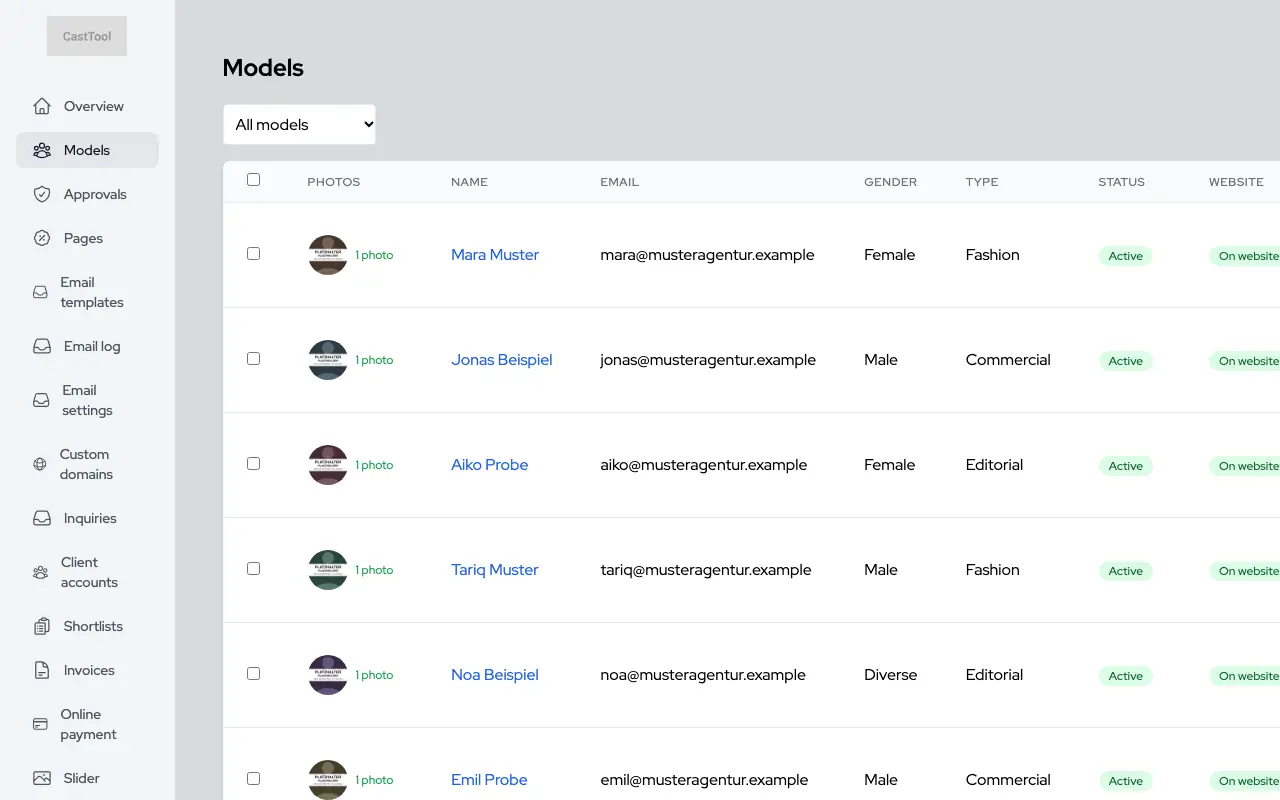
Model list with photo, contact, category and status

Media gallery

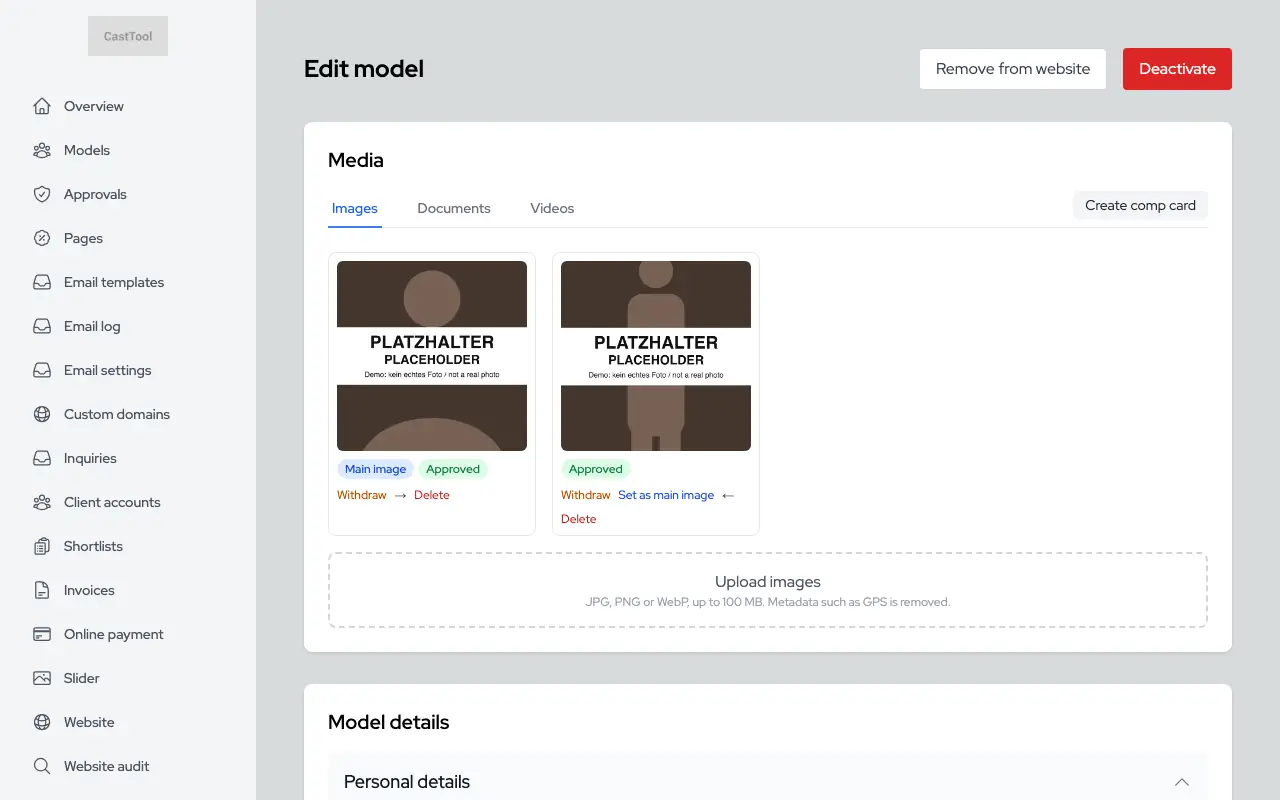
Photos per model with approval, ordering and a main image. Uploads show real progress while they run.

  • Location data and other metadata are stripped from photos
  • Website image sizes are generated automatically
  • Videos go through the same clean-up
A model's media gallery with upload, approval and ordering

Importing comp cards

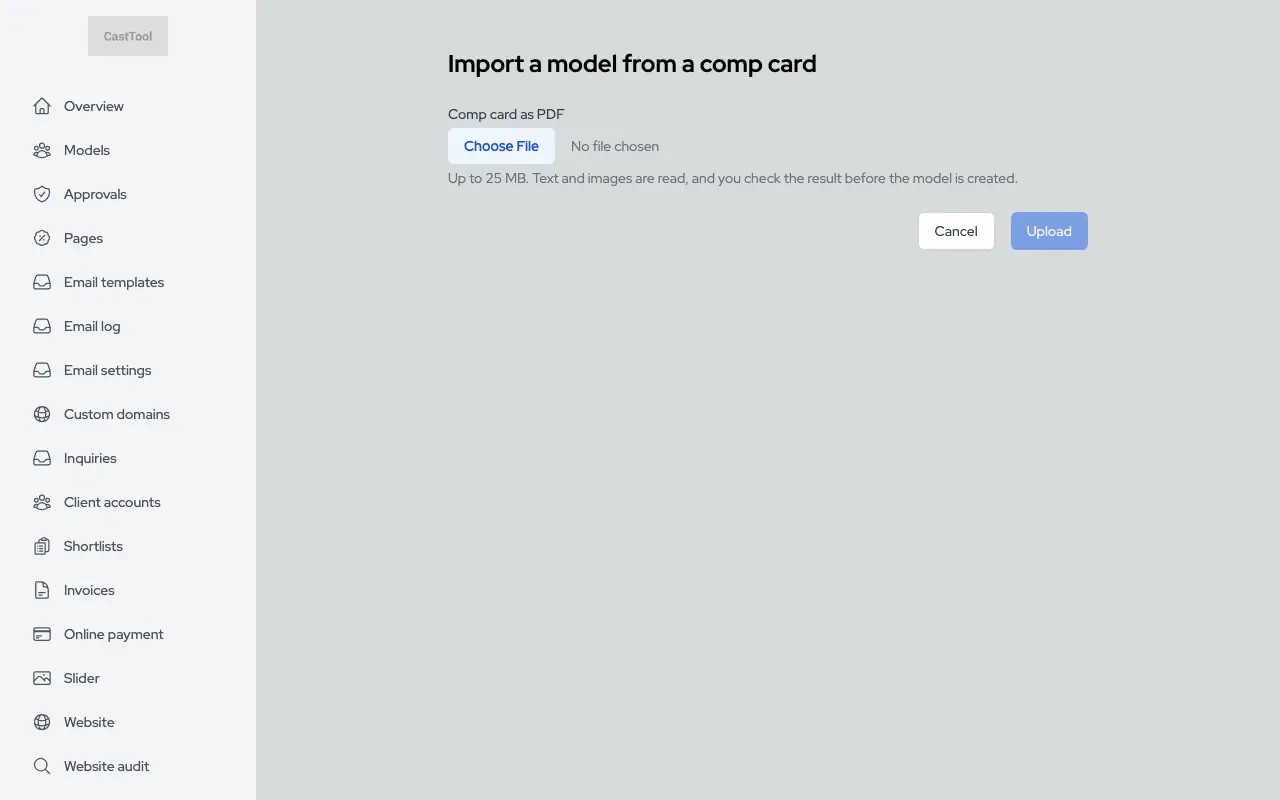
Upload an existing comp card as a PDF, and CastTool reads the name and measurements and suggests a profile. Anything it cannot read reliably stays empty, and your team checks before creating the profile.

Importing a comp card from a PDF

A portal for models

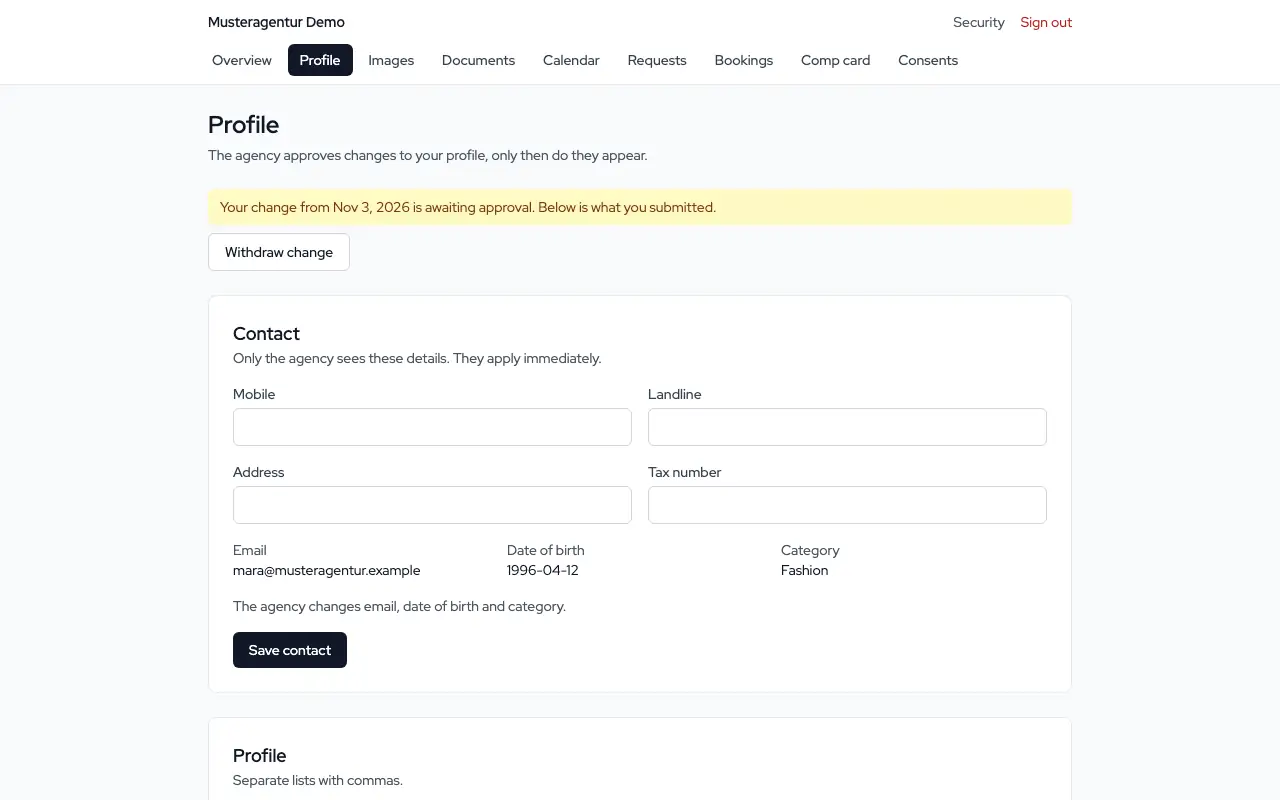
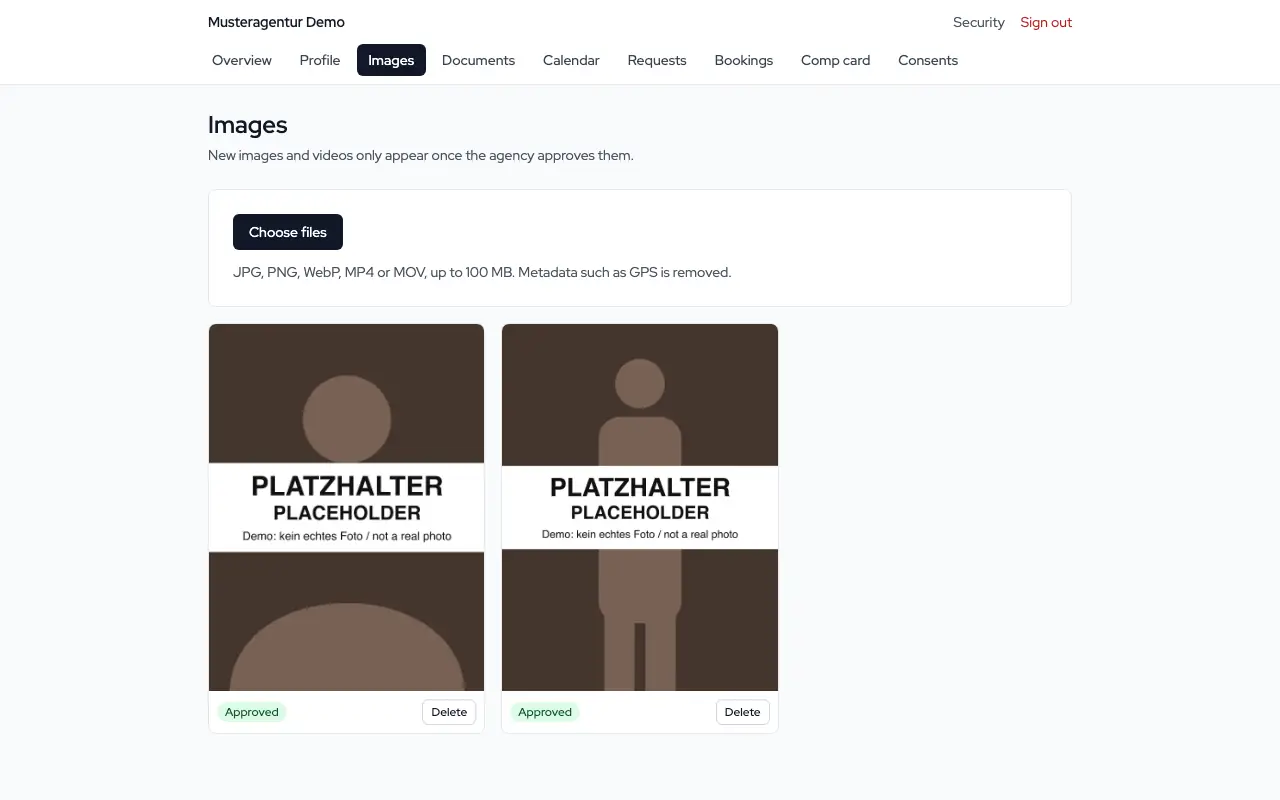
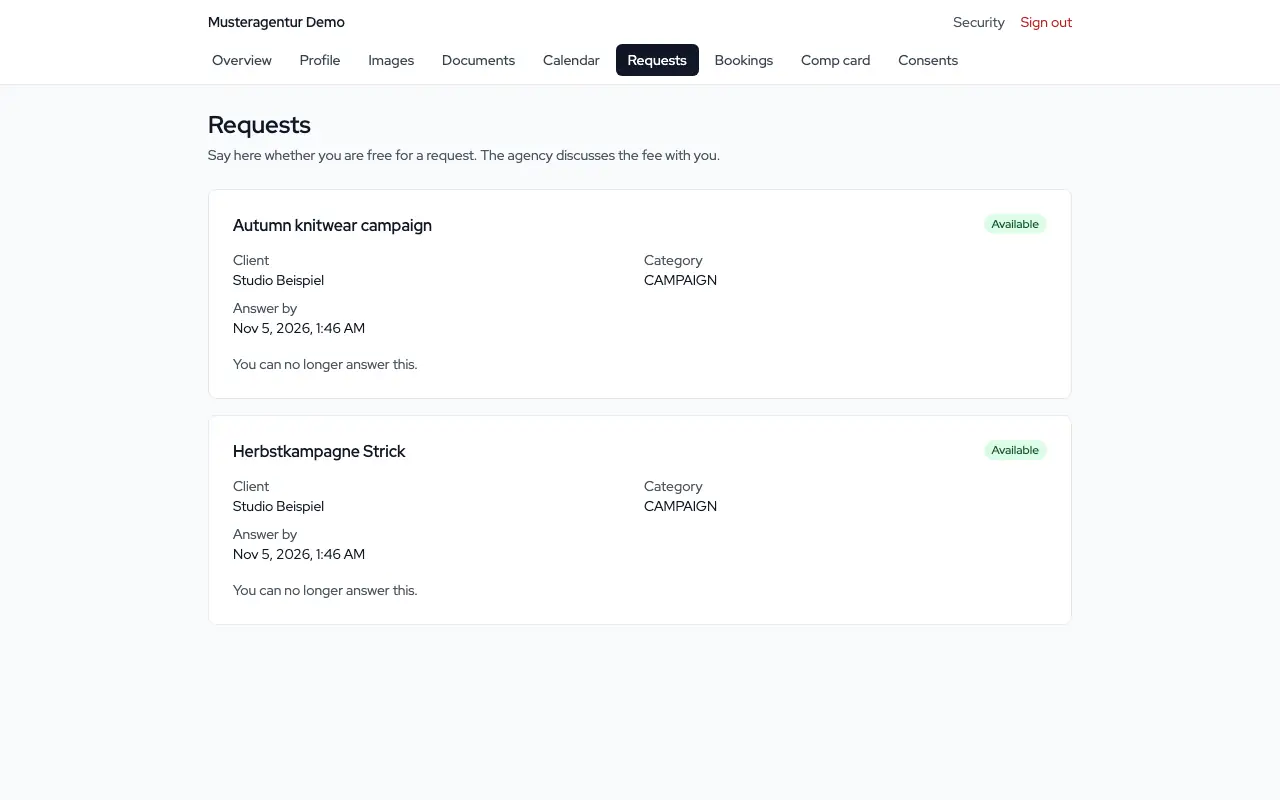
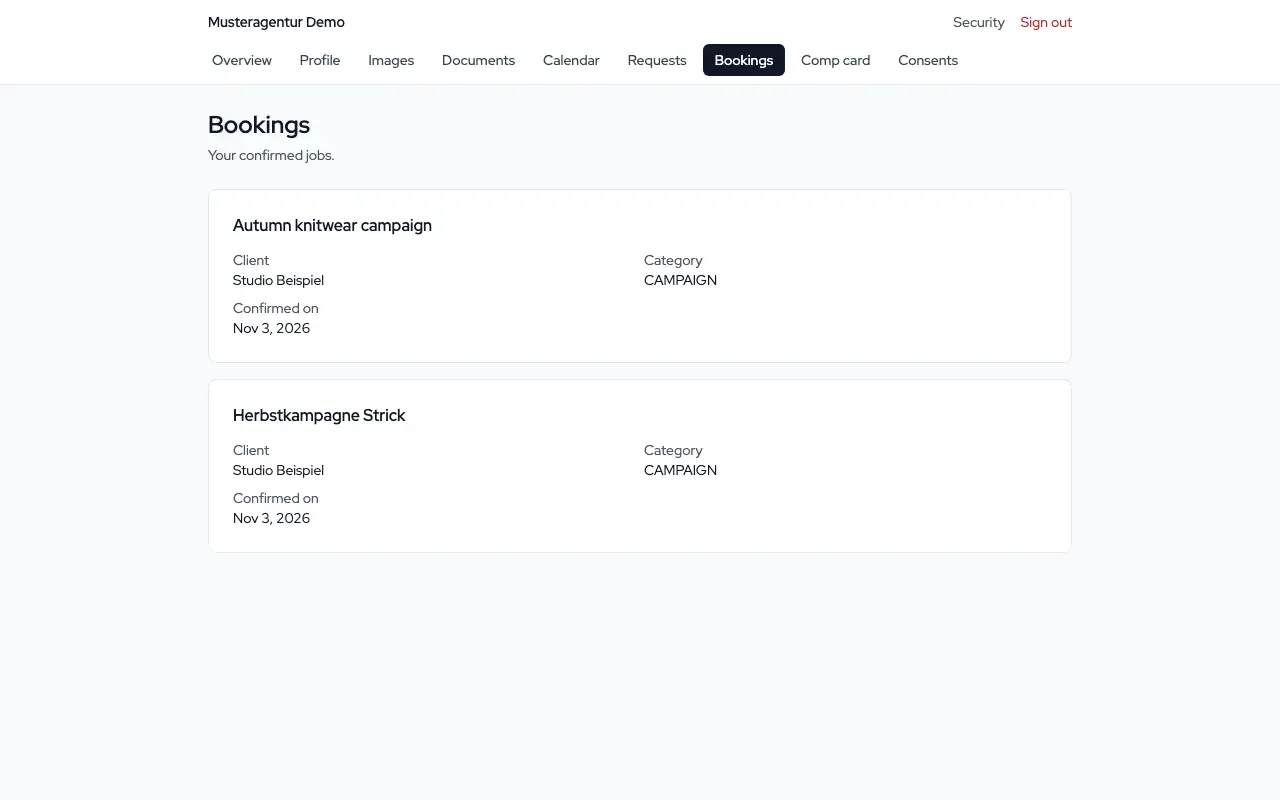
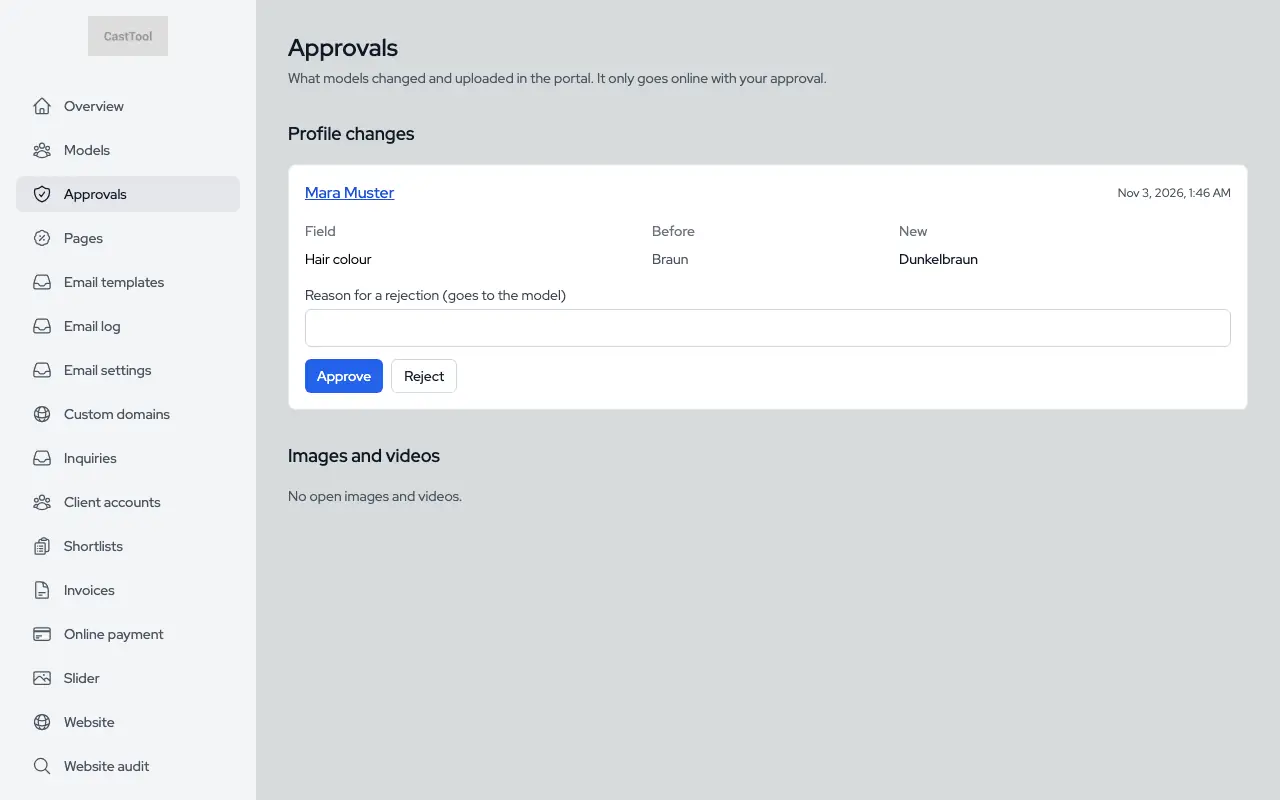
With an invitation, a model gets their own portal: profile, photos, documents, calendar, requests and bookings. Changes to the profile and photos only go live after your team approves them.

Profile in the model portal
Photos in the model portal
Requests in the model portal
Bookings in the model portal
Approvals: a model's change waiting for the team

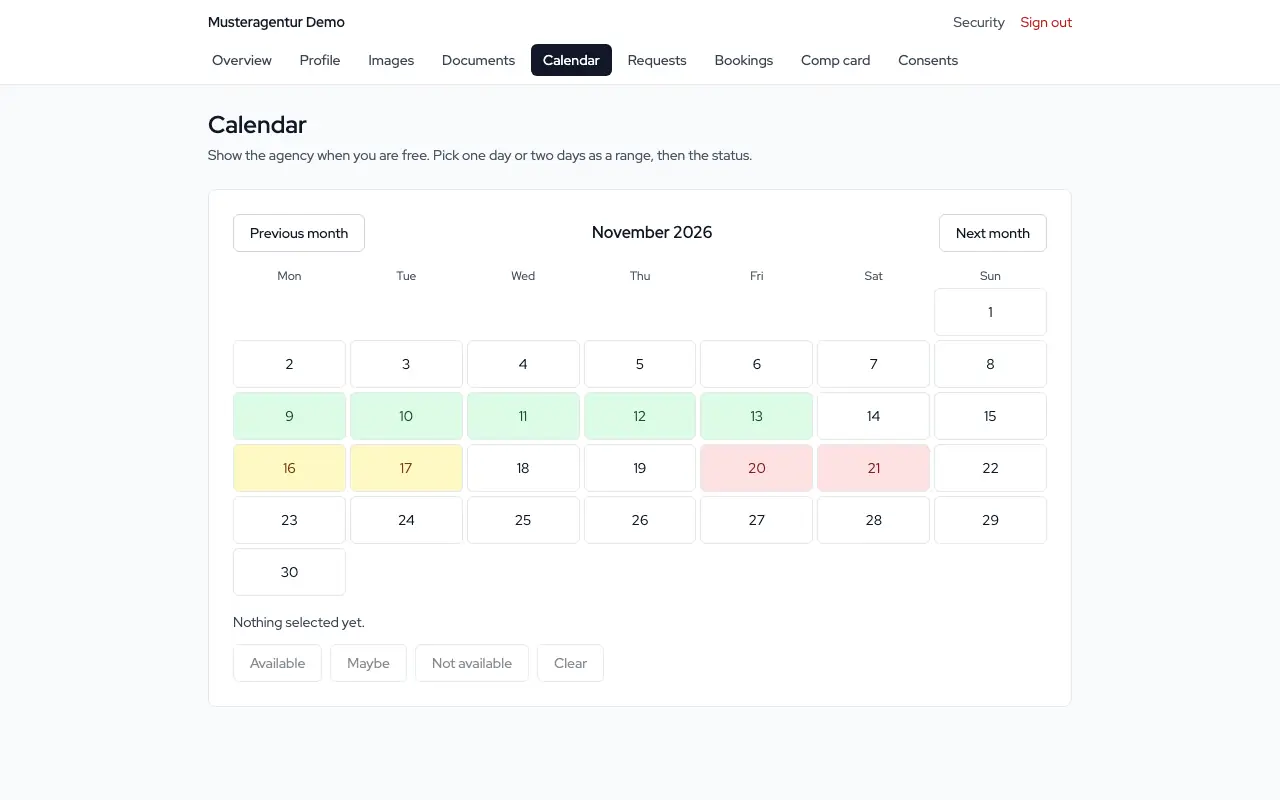
Availability calendar

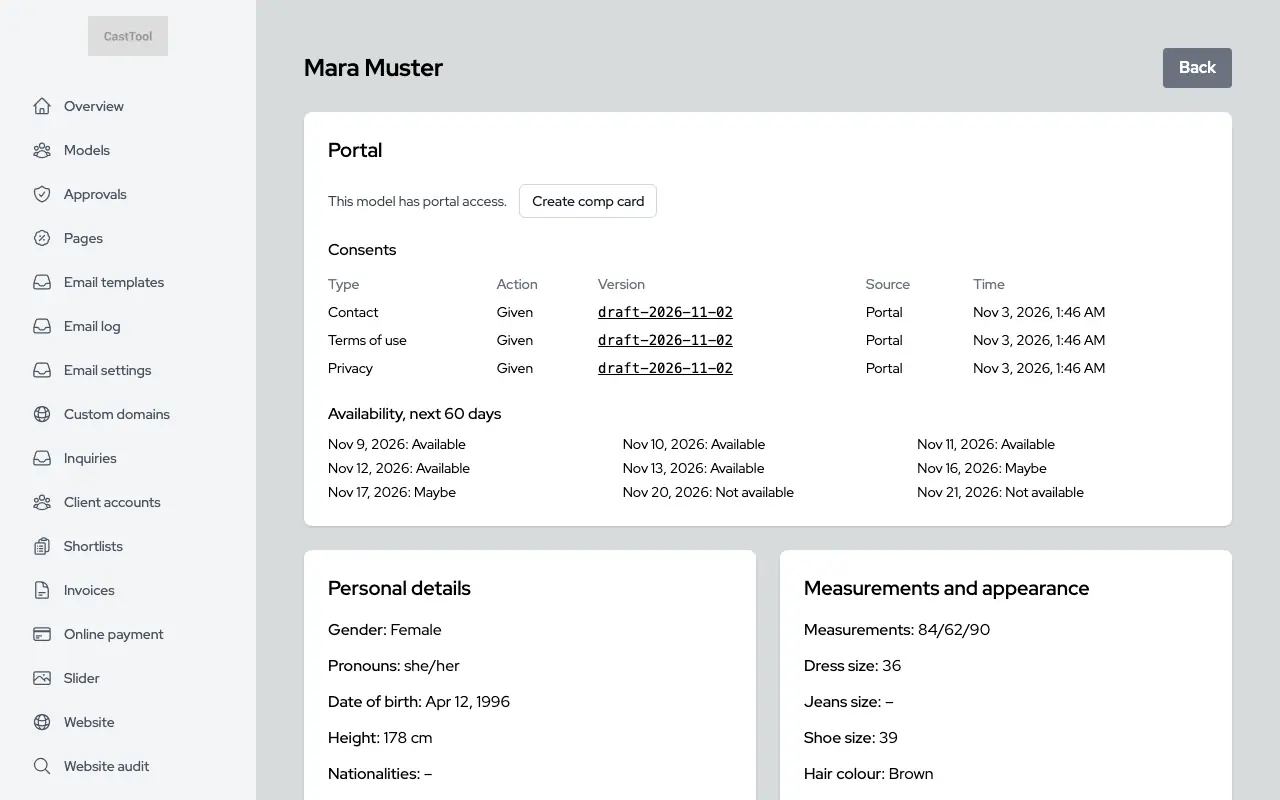
Models mark each day as available, maybe or unavailable. Booked days are filled in automatically, and your team sees the next 60 days on the model's page.

Availability calendar in the model portal
Model detail page in the dashboard showing availability for the next 60 days

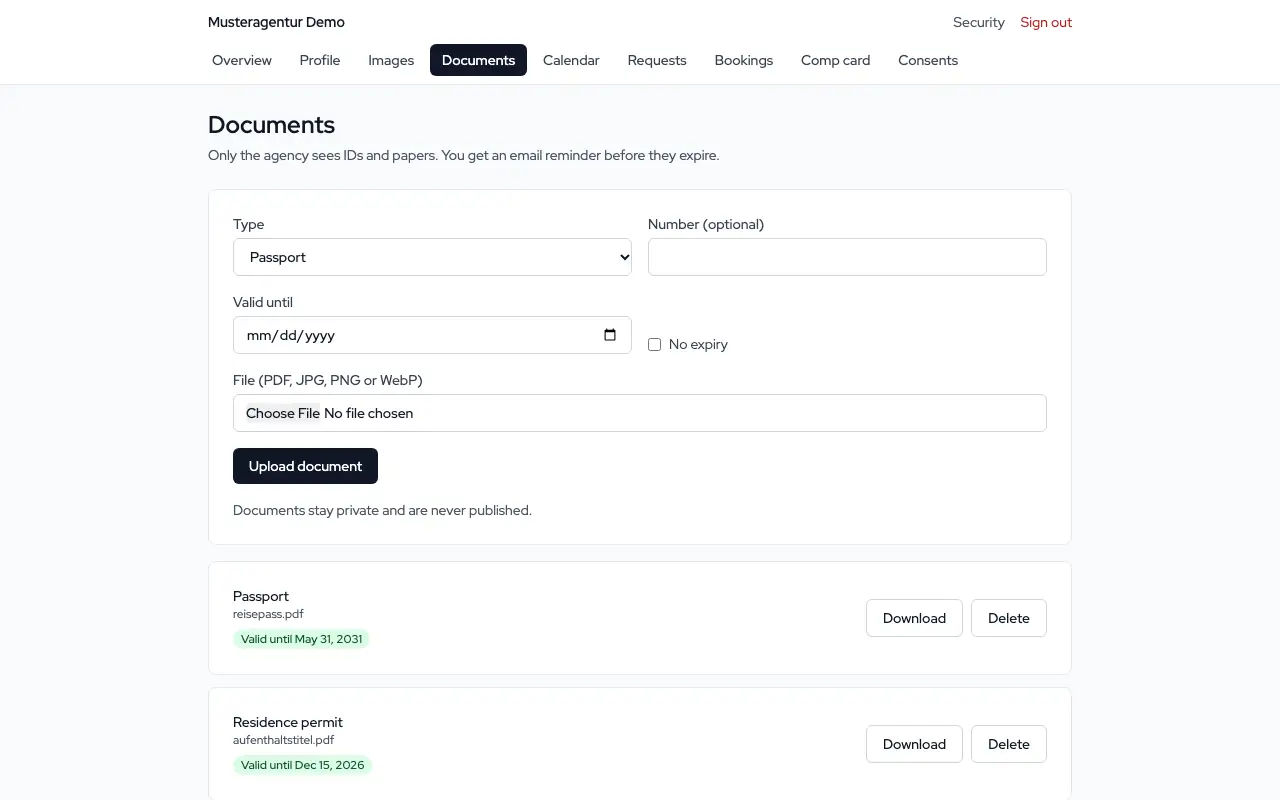
Documents with expiry dates

Passports, residence or work permits with type and expiry date. The files are kept in private storage only. An email reminder goes out 30 days and 7 days before expiry, and on the day itself.

Documents with expiry dates in the model portal

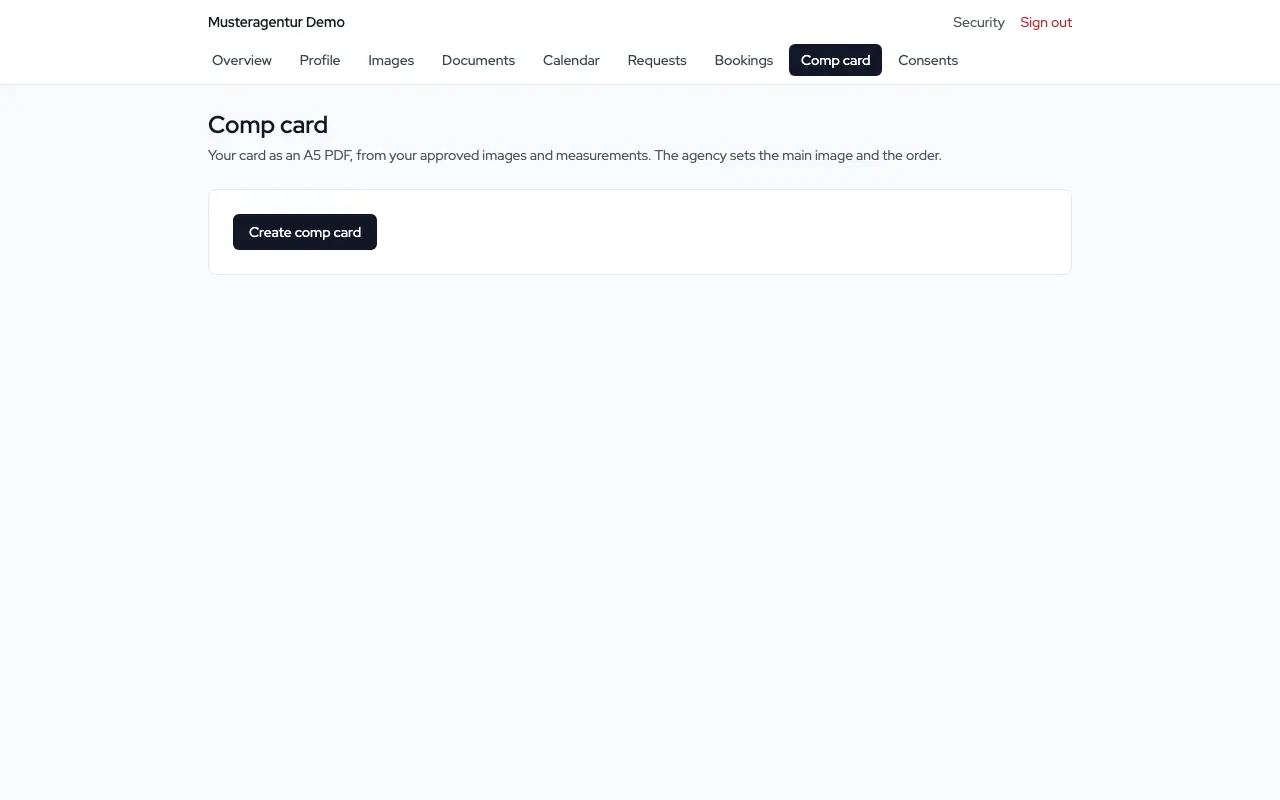
Comp card as a PDF

An A5 comp card built from approved photos and measurements, for the model and for your team. Photos follow the main image and the order set in the dashboard.

Comp card in the model portal

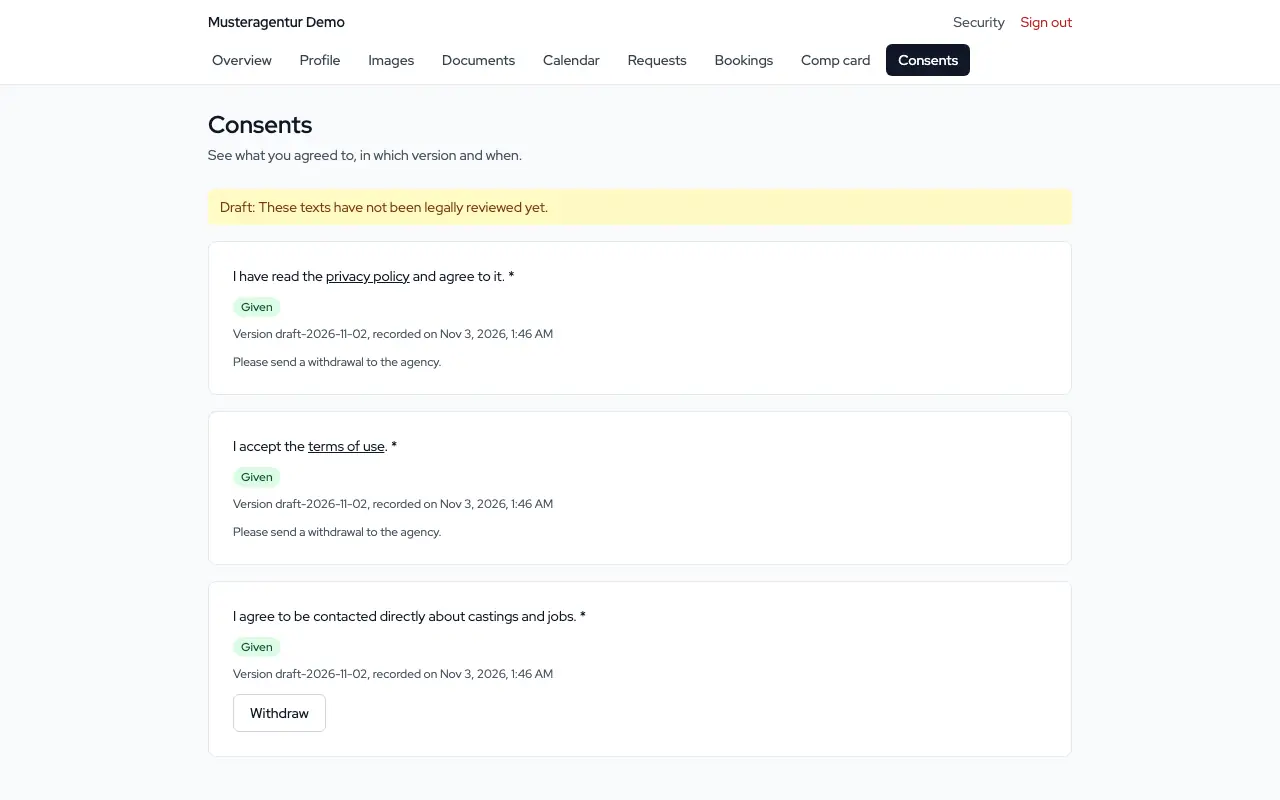
Consents with their wording

Consents from the application and the portal are stored on the server with time and version. The model sees them in the portal, your team in the log, and every version stays available word for word.

Consents in the model portal

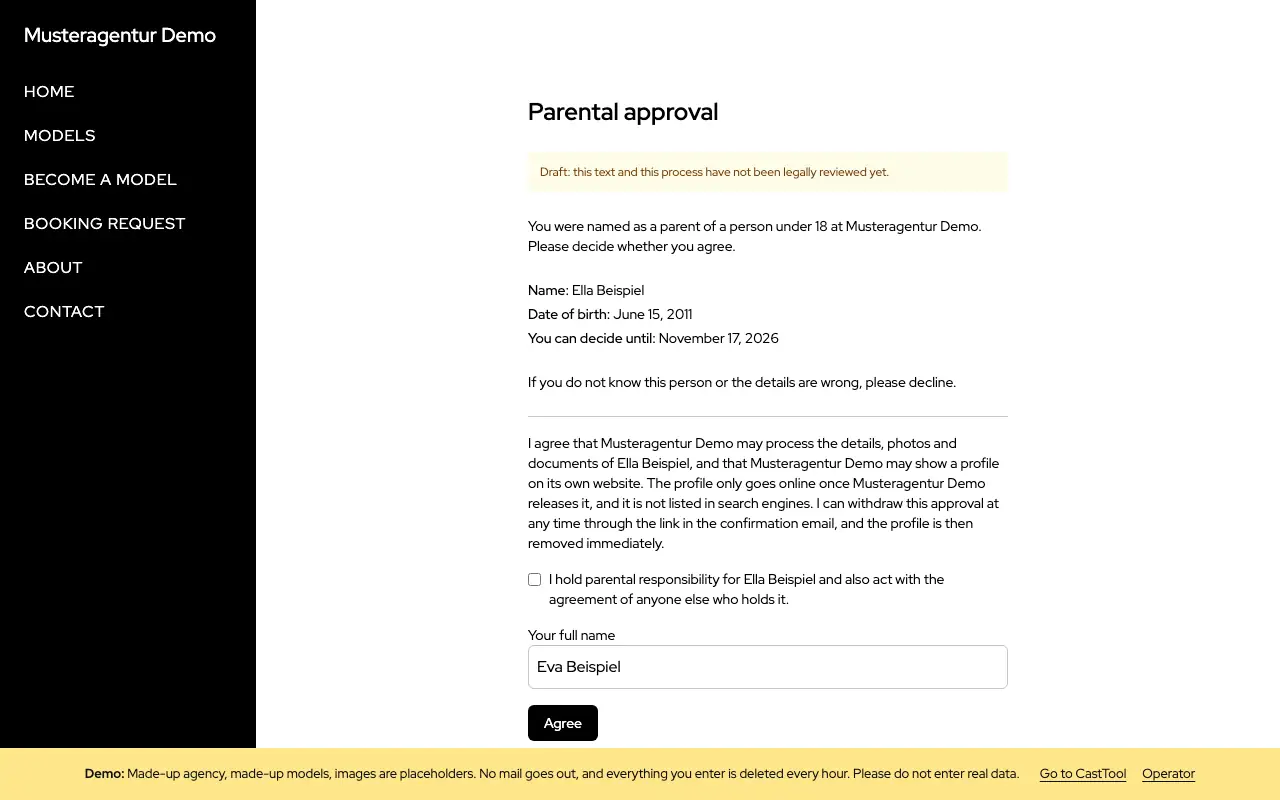
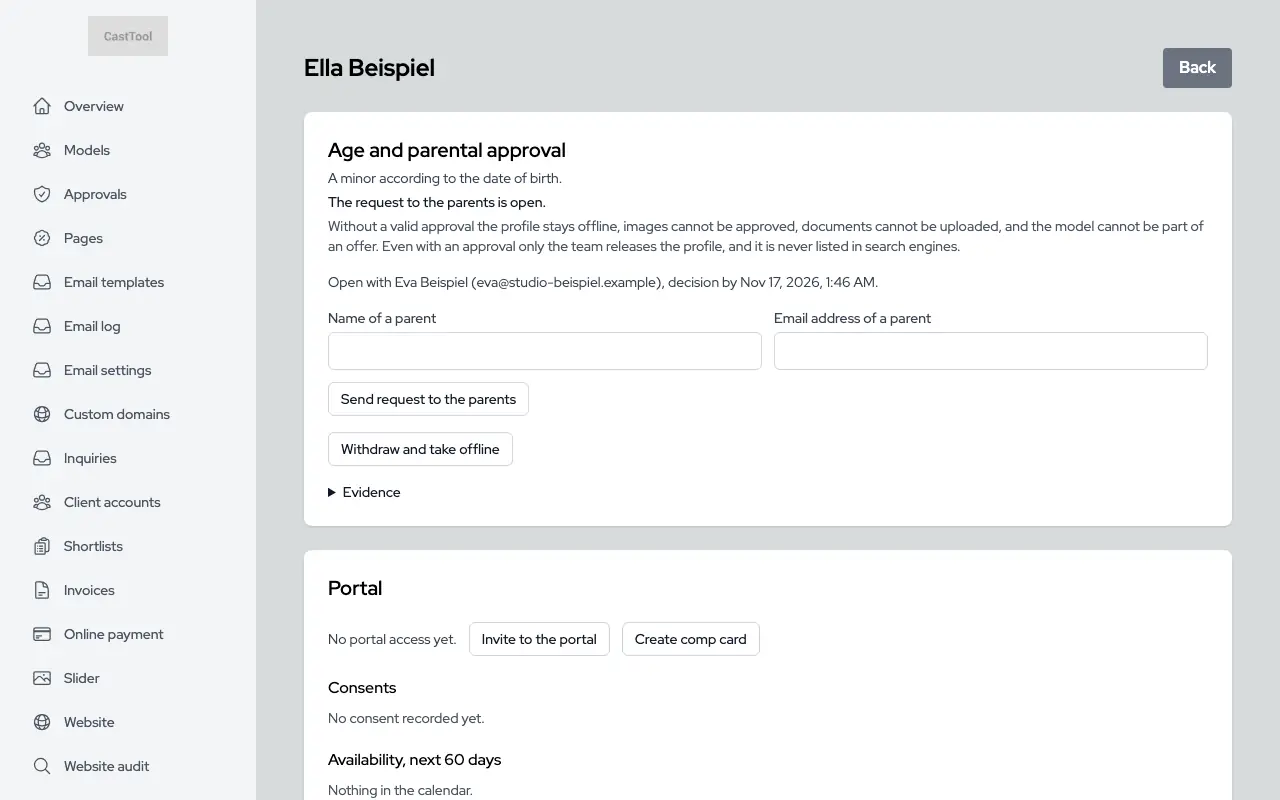
Applicants under 18

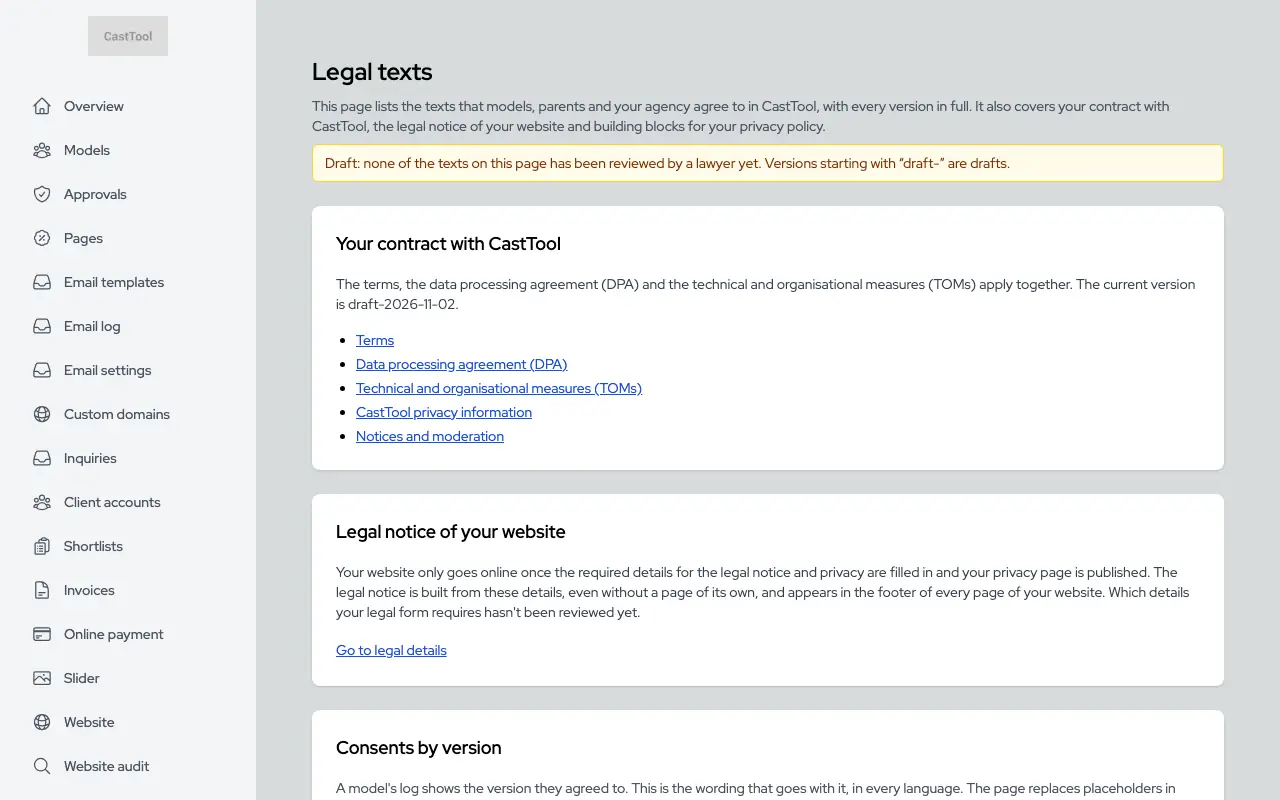
If a model is under 18, CastTool asks a parent for consent through an email link, with a record and the option to withdraw. The profile stays private by default and is never indexed by search engines. Only your team can publish it. Please check whether this process is enough for your situation; the texts involved are drafts.

Page for parents with a draft notice and fields to give consent
Detail page of an applicant under 18 showing the parental consent status

Casting and clients

Client accounts with lists, shortlists by link, and the casting office as its own workspace with castings and roles.

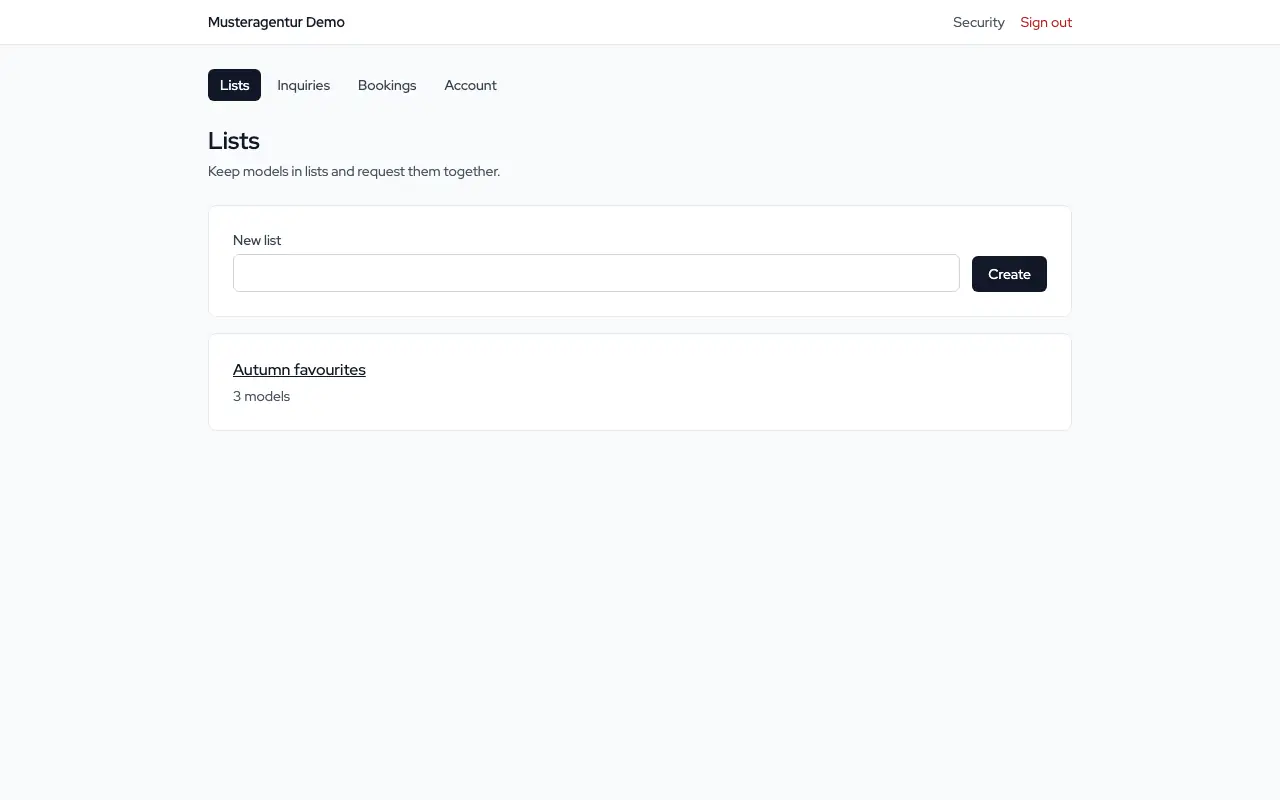
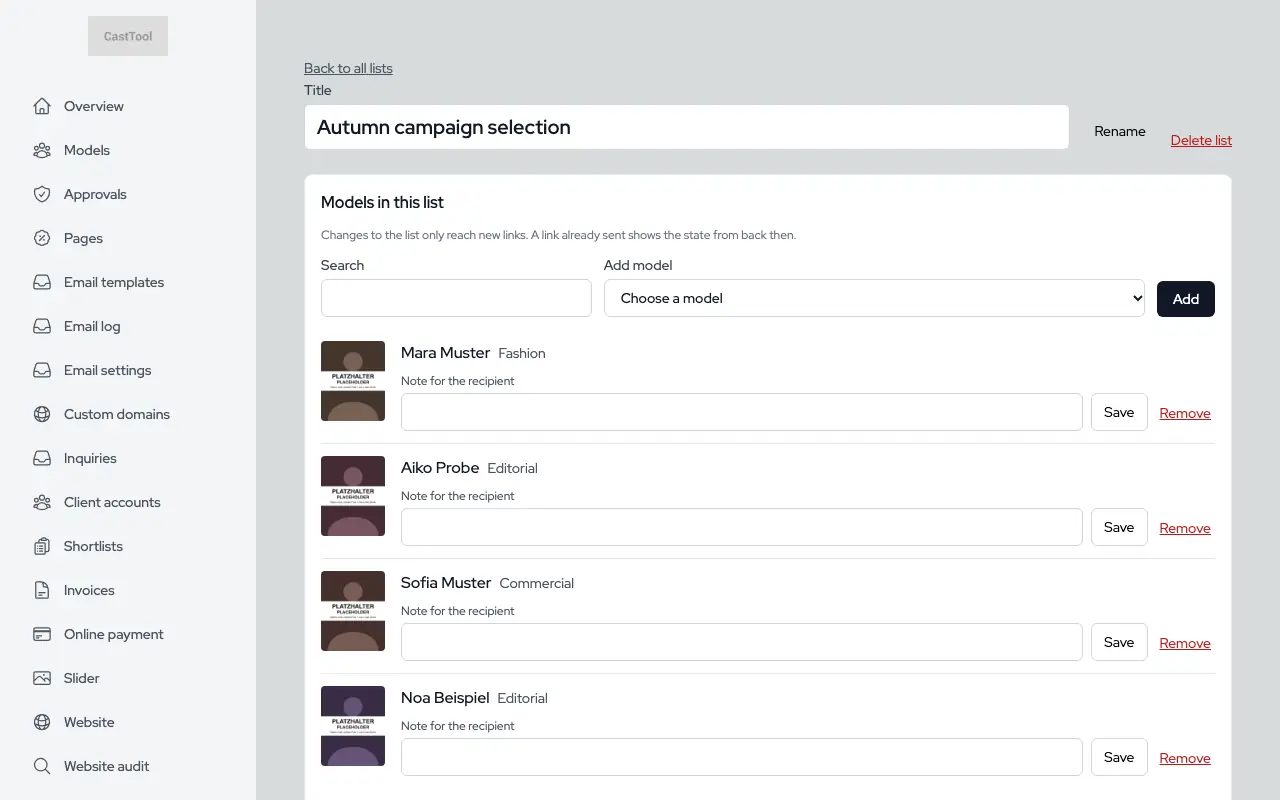
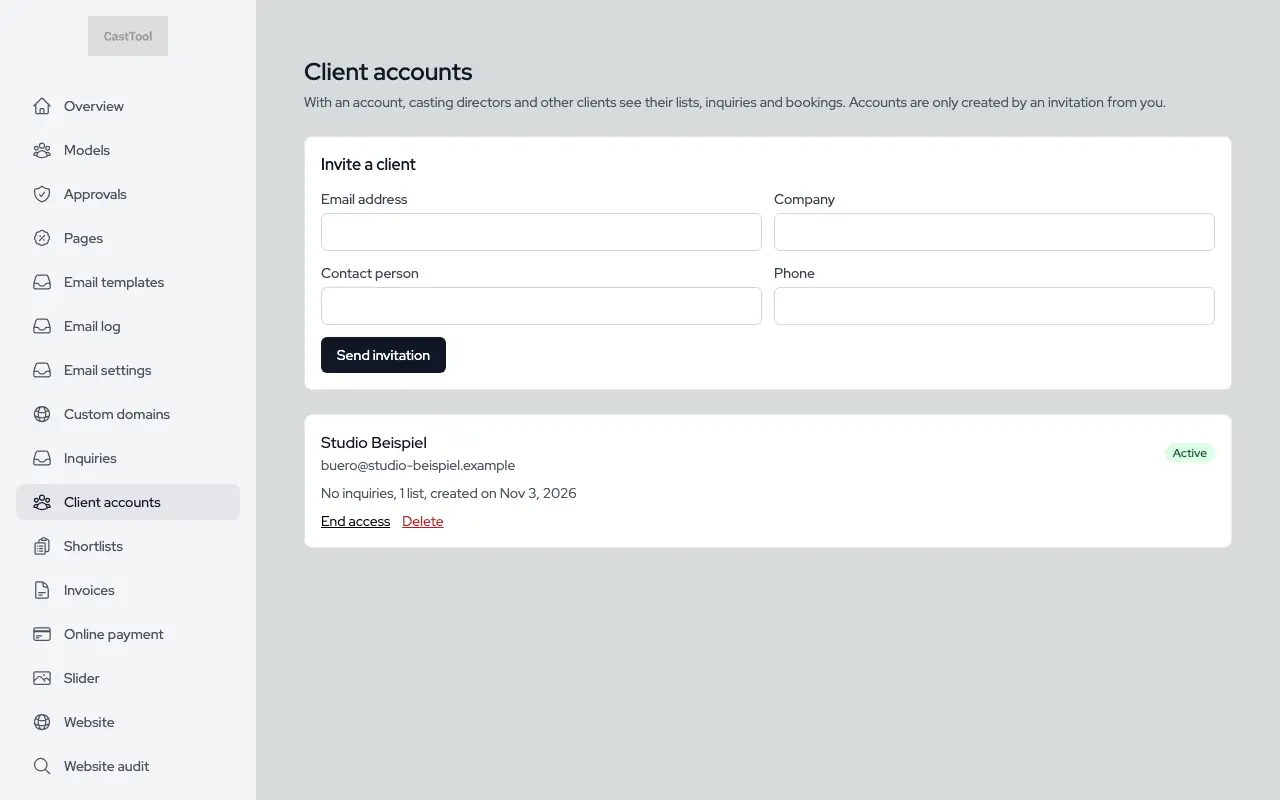
Client accounts with lists

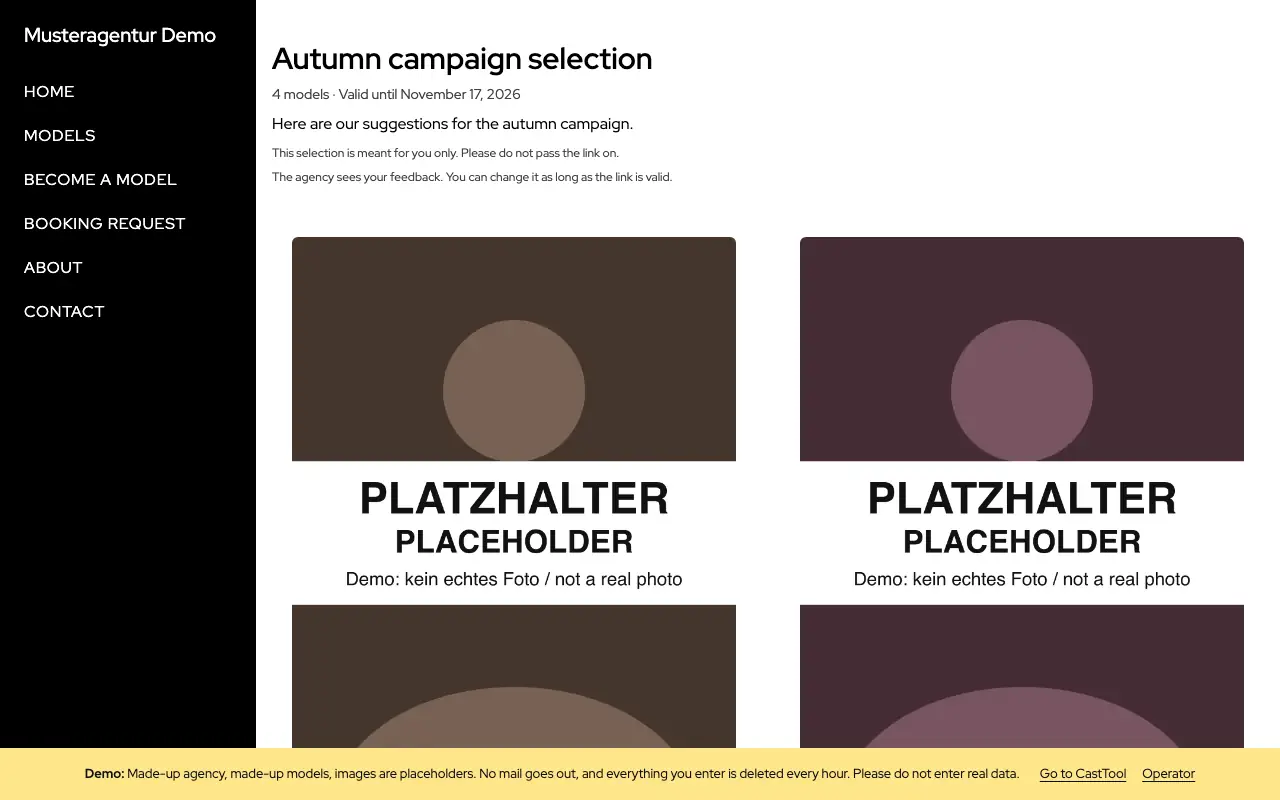
Your team invites clients. With an account they keep shortlists, see their requests, respond to offers and find their bookings, both on your website and in the app.

Client account with lists and requests
The agency's client accounts

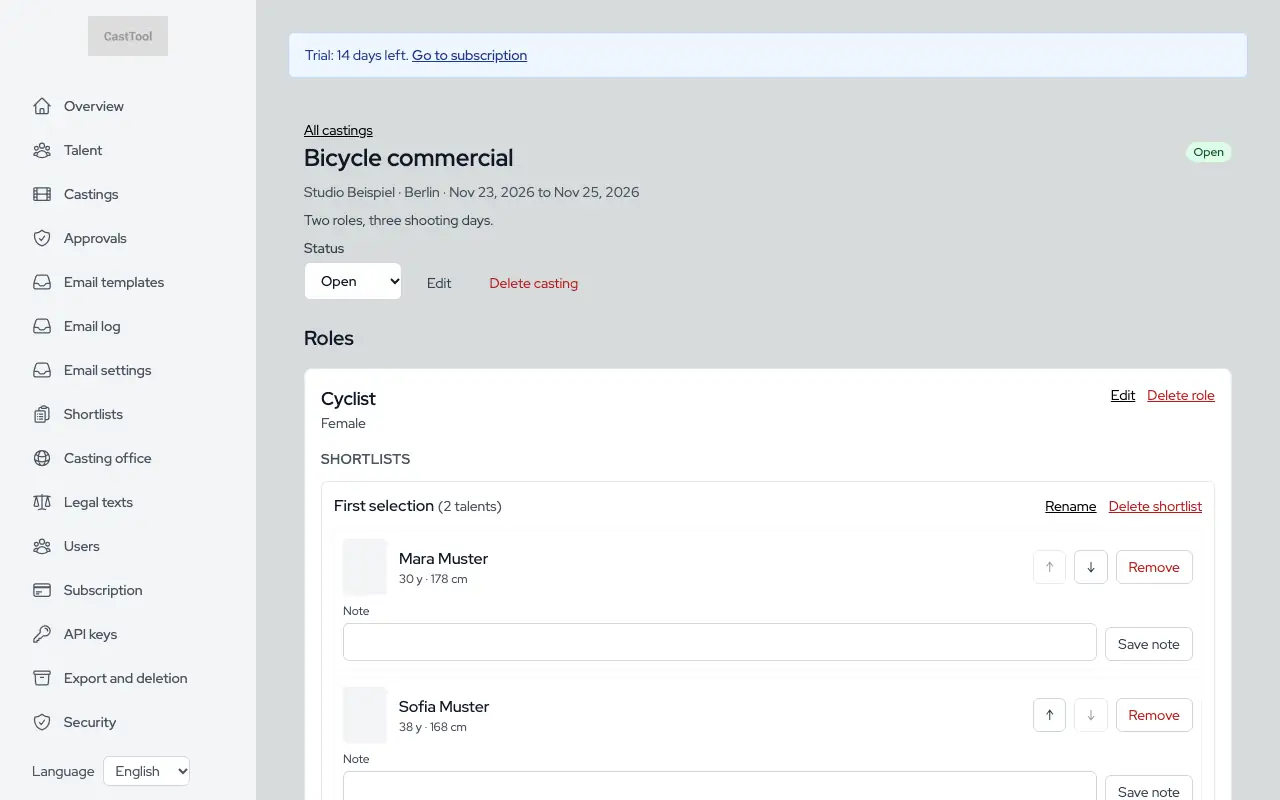
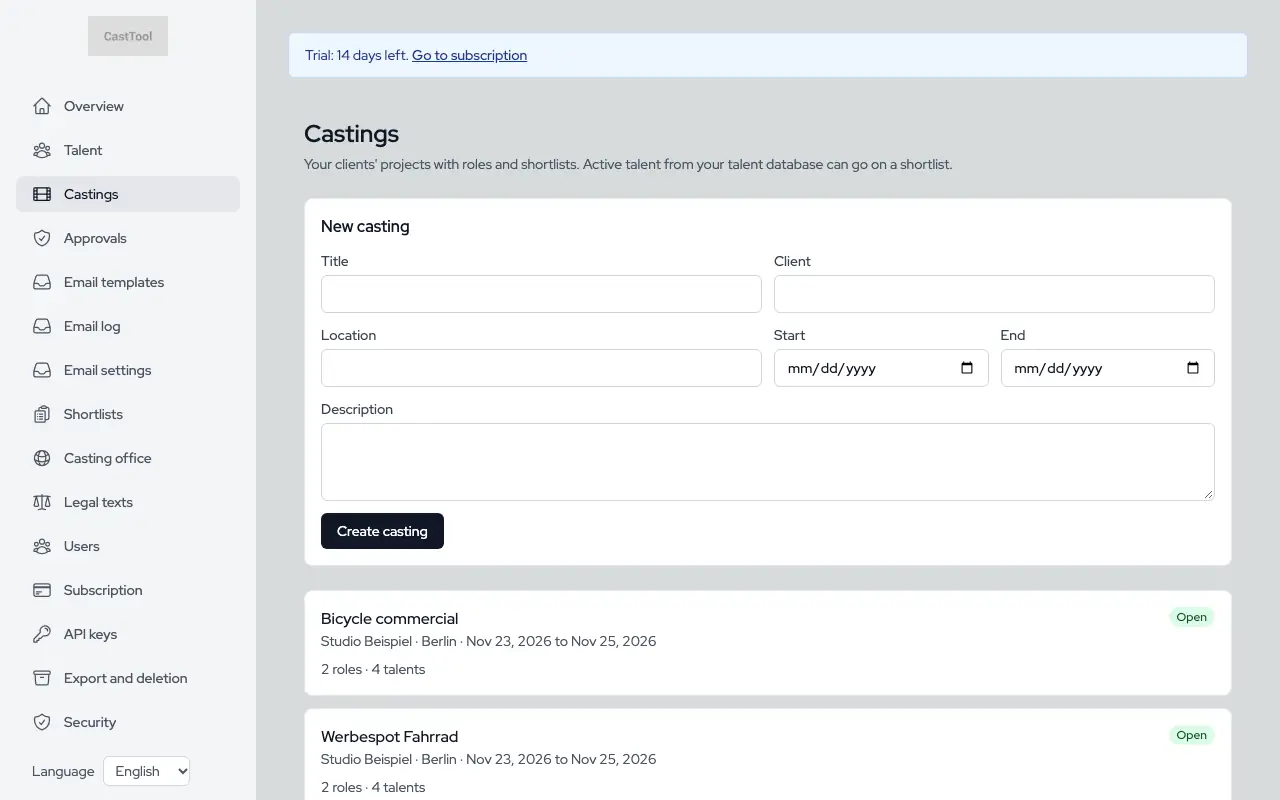
Casting offices with castings and roles

A casting office gets its own workspace with its own talent database. For each casting you add roles with requirements and keep several shortlists per role, with notes and ordering. No public website needed.

Casting with roles and shortlists
A casting office's castings

Admin

The everyday tools: overview, team, email, settings and languages.

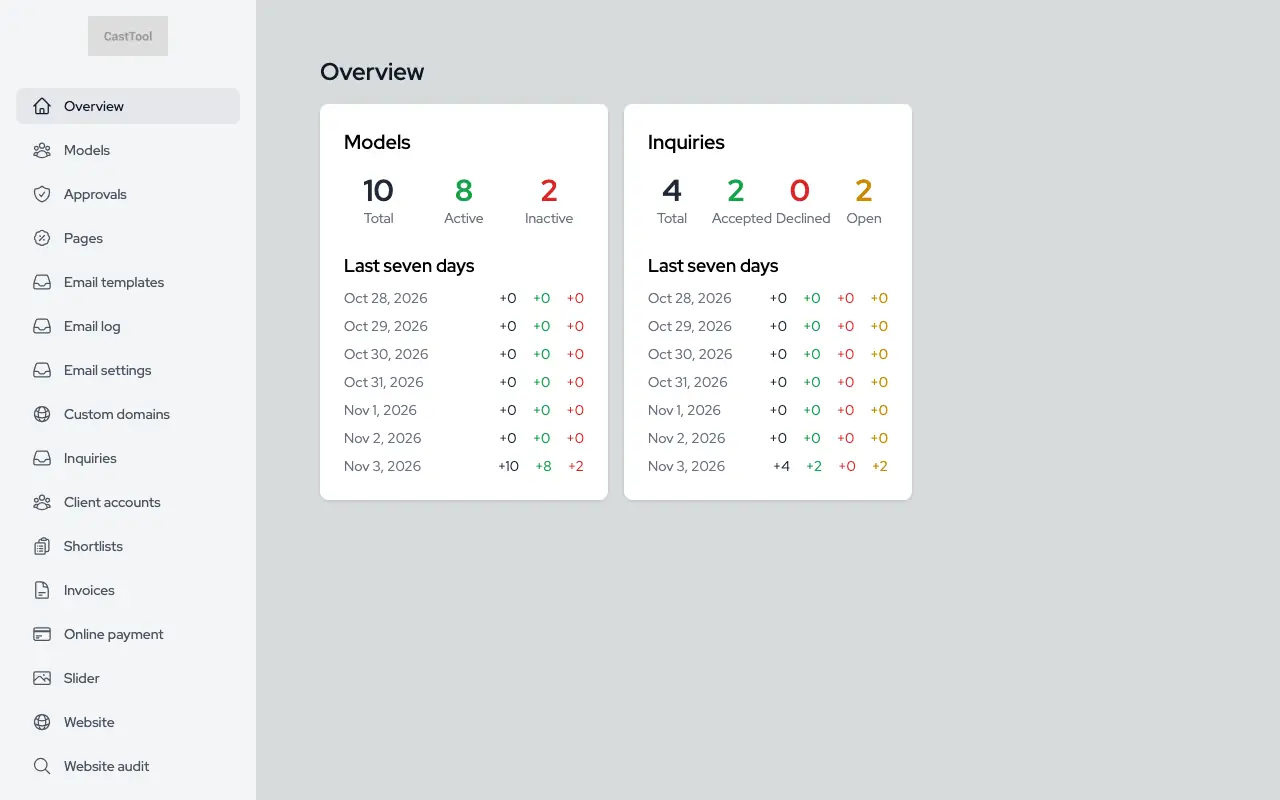
Overview

The dashboard home counts models, applications and requests and takes you straight to each list.

Dashboard overview with the demo agency's figures

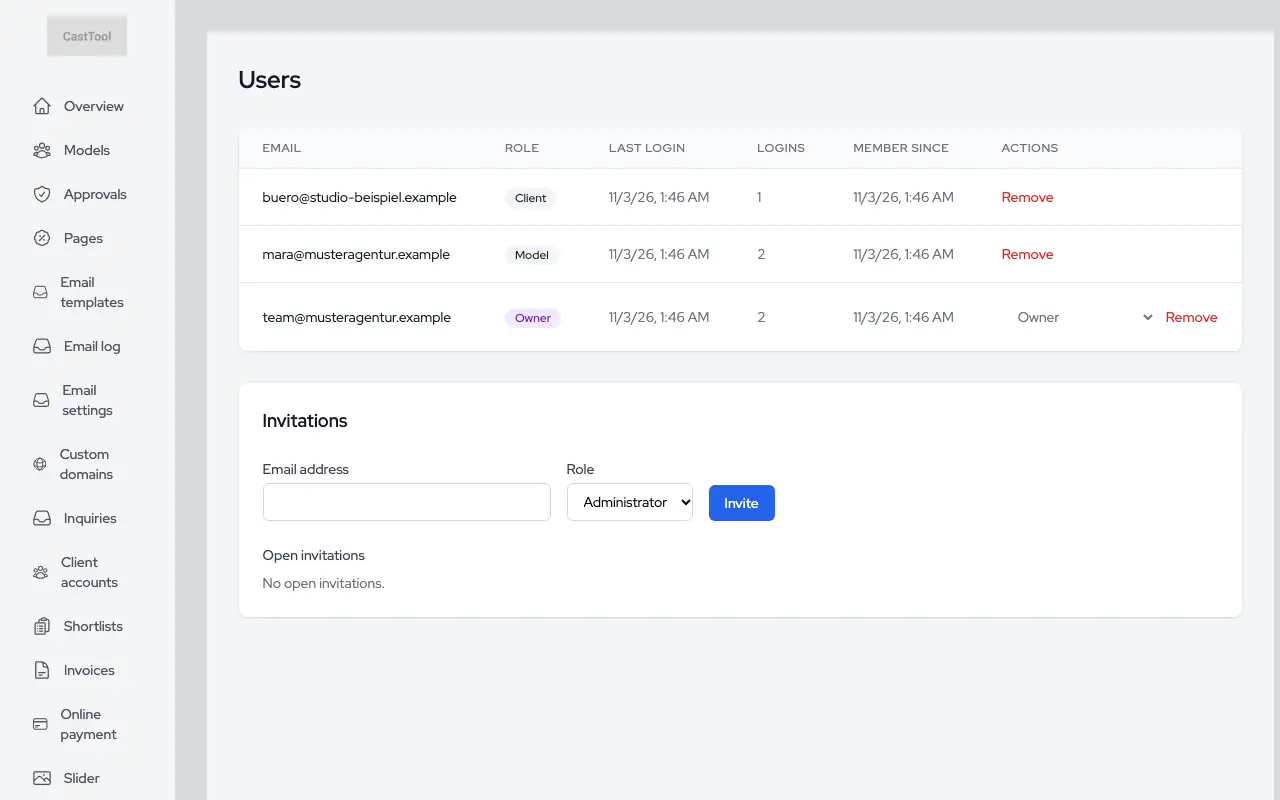
Team and roles

Invite members by email, with owner and admin roles. Sign-in can be protected with a second factor.

Team members and invitations

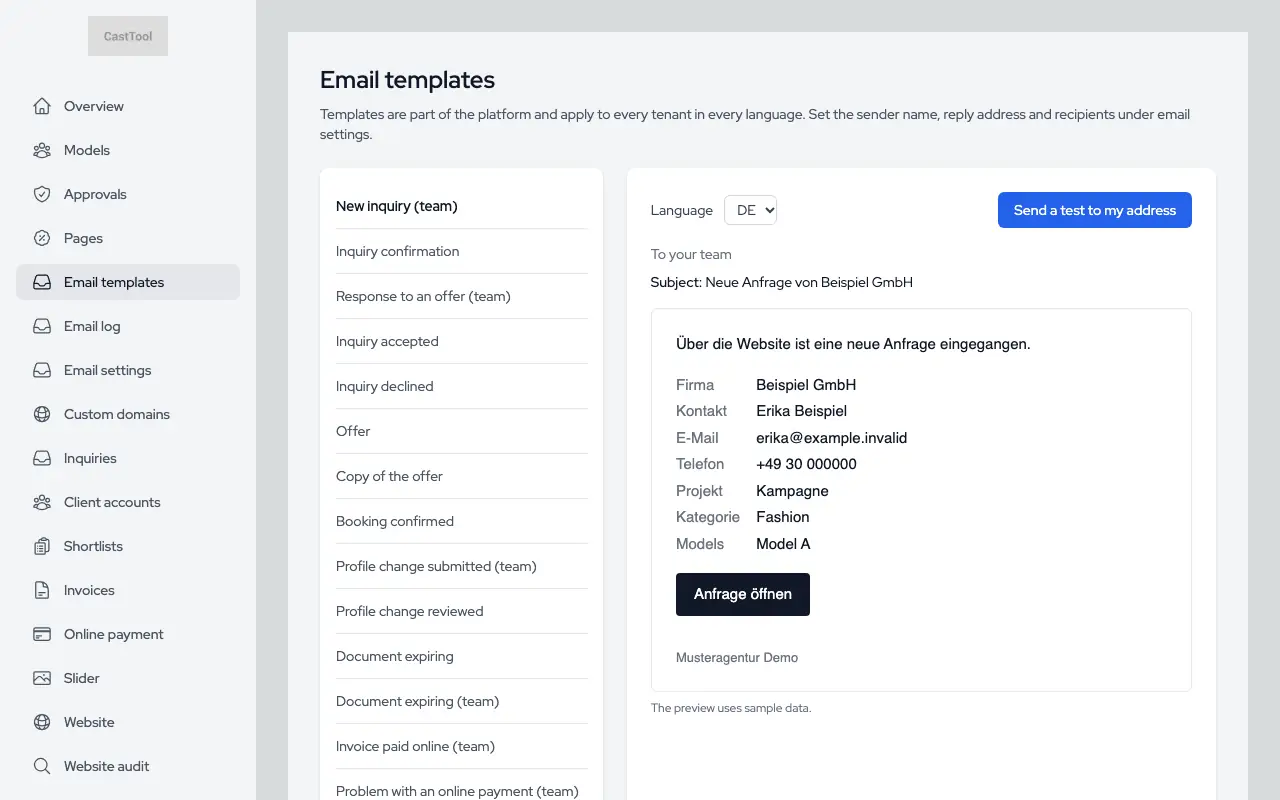
Email in your agency's name

Your agency name is the sender, and replies go to your address. Templates can be previewed and sent to yourself as a test, and the log shows every email, including the ones that bounced.

  • Verify your own sending domain
  • Bounced addresses are blocked per agency
Email templates with preview

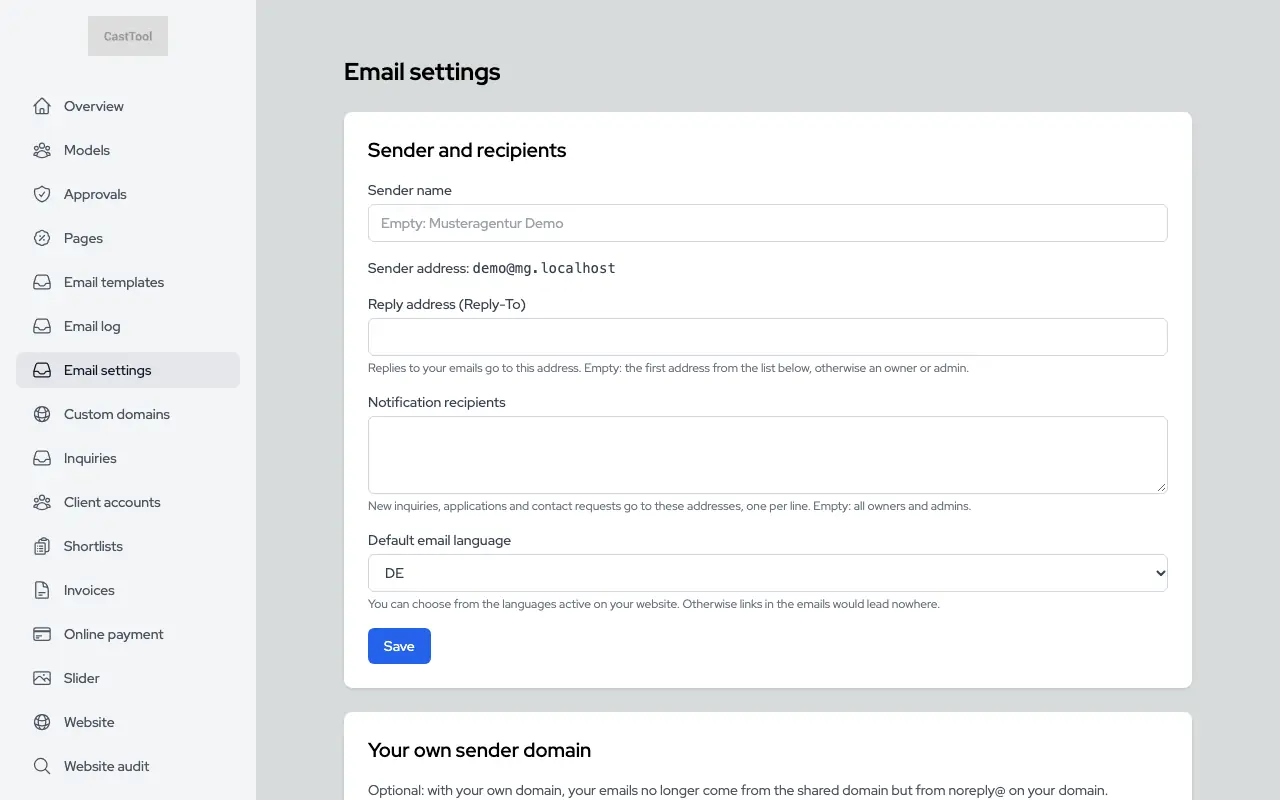
Settings

Sender name, reply-to address, notification recipients and blocked addresses in one place.

Sender and recipient settings

German and English

The website, dashboard, portal and emails are available in German and English. You choose your site's languages, translate your pages per language, and every account has its own language for the interface and emails.

List of custom pages with their languages

Platform and security

Sign-in, data separation, export and API: the groundwork that keeps your data yours.

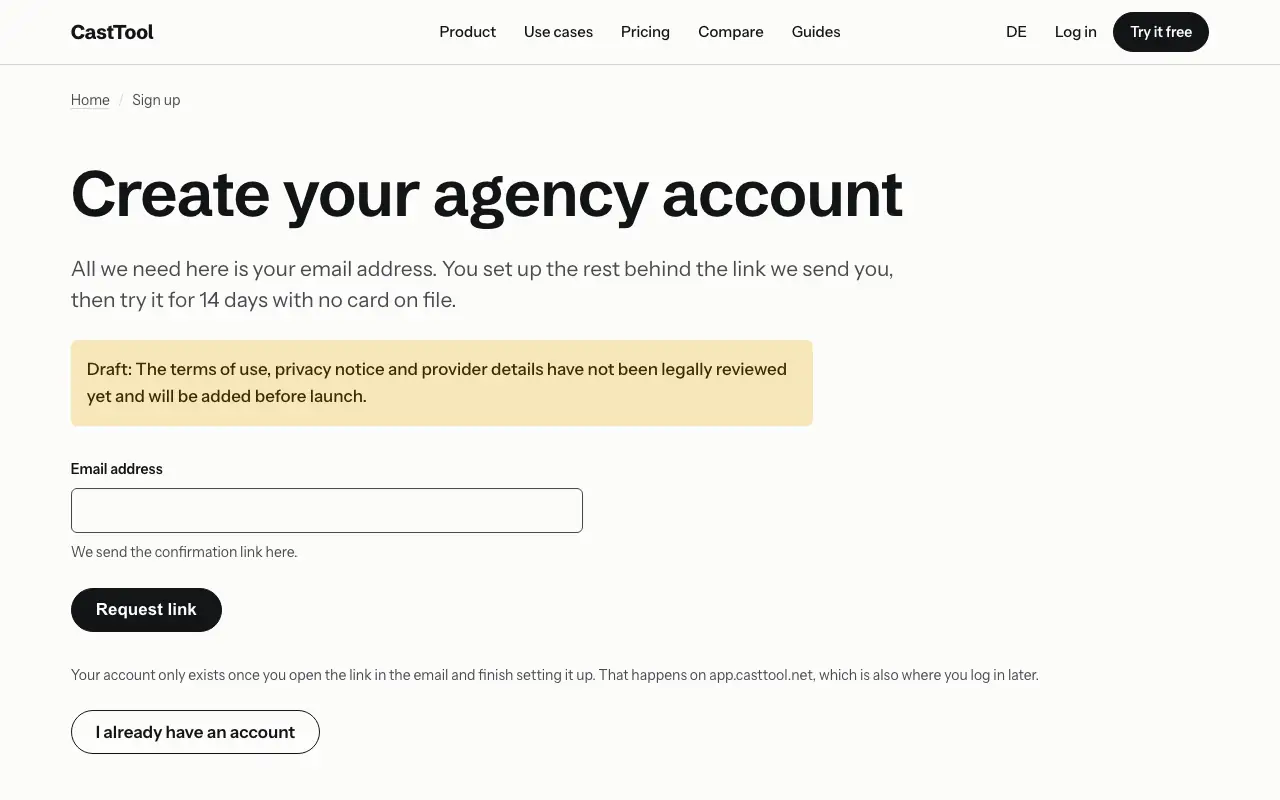
Sign up and try it for 14 days

Confirm your email, create your agency or casting office and pick a subdomain. The form checks right away whether the subdomain is free.

Sign-up form on the product site

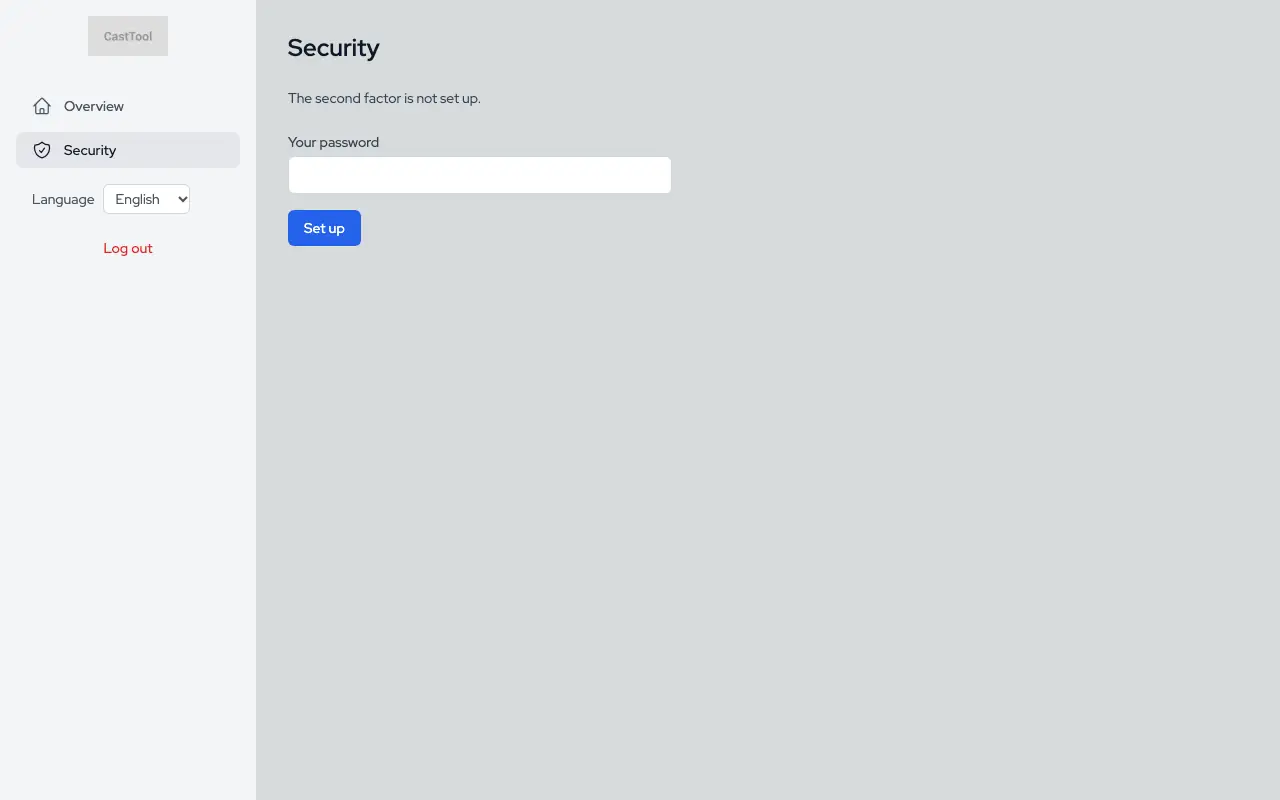
Separate data, secure sign-in

Each agency's data is separated from everyone else's in the database itself, not just in the interface. Sign-in supports roles, password reset and a second factor, and public forms are protected against bots and floods of requests.

Account settings with a second factor

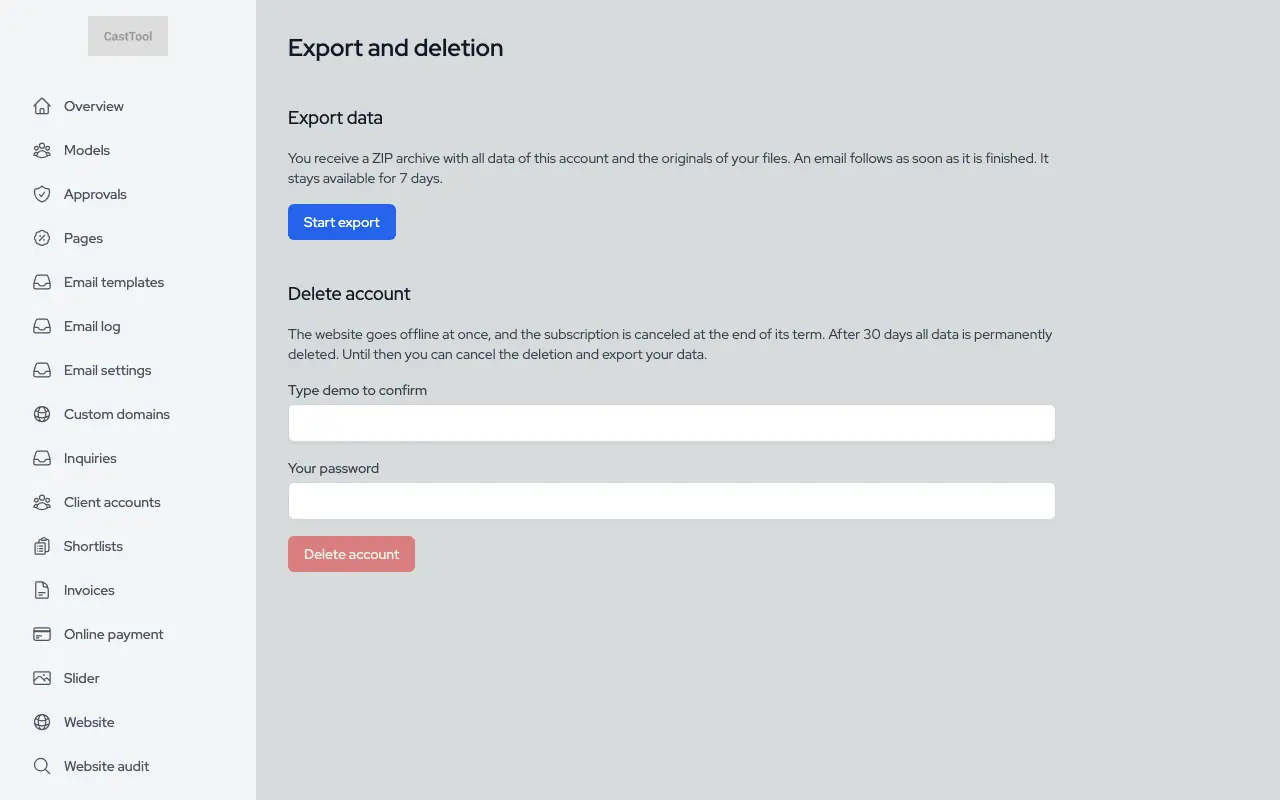
Export and deletion

All of your agency's data, including original files, as a ZIP. Deletion runs on a deadline and can be undone until then.

Data export and deletion

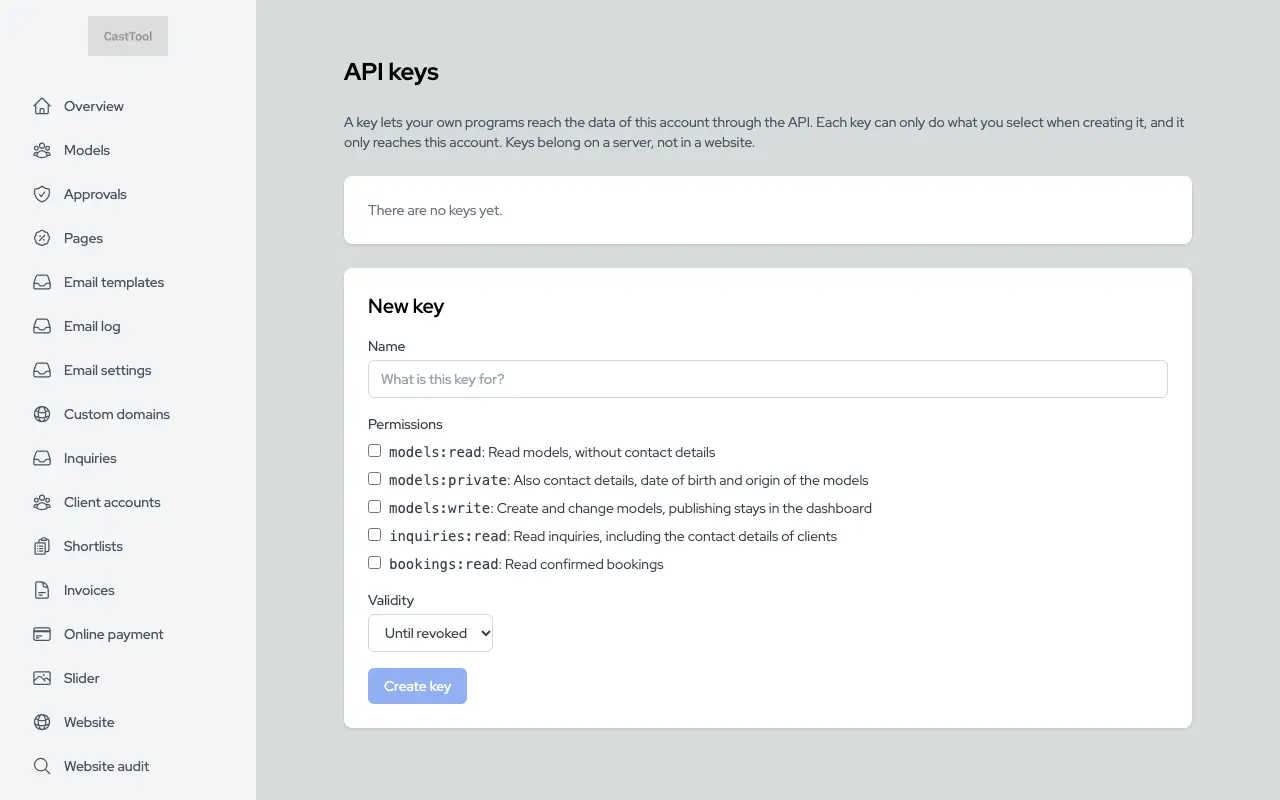
Public API

Keys per agency with their own permissions and rate limits. The API description is generated as OpenAPI from the same rules the server uses to validate requests.

API keys

Set up your agency this afternoon.

Fourteen days, no card. Once you've confirmed your email you pick your subdomain, and you decide on a plan when the trial ends.

Start the trial